

A Practical Guide to Community Management on Social Media


Table of Contents
- What Is Community Management on Social Media?
- Setting Goals That Actually Measure Community Health
- Your Daily Playbook for Community Engagement and Moderation
- A Day in the Life of a Community Manager
- When It’s Time to Move to Your Own Platform
- Your Action Plan for Building a Thriving Community
- Frequently Asked Questions
Think of social media community management as the difference between throwing a party and building a home. Anyone can throw a party—post some content, get some likes, and call it a day. But building a home for your audience? That requires creating a space where people feel seen, heard, and connected, turning passive followers into a loyal community.
This is not about one-way announcements. It's about nurturing real relationships online, one genuine interaction at a time.
What Is Community Management on Social Media?
A community manager acts like a town mayor. Instead of shouting updates from a balcony, they are in the town square, shaking hands, listening to conversations, and ensuring the space is safe and welcoming. This proactive approach is what separates community management from traditional social media marketing, which often focuses on broadcasting a message.
The opportunity is massive. By 2025, an estimated 5.2–5.4 billion people will be on social media. The average person uses 6-7 different platforms monthly, providing multiple venues to build connections.
The Four Pillars of Social Media Community Management
A strong community management social media strategy is built on four core pillars. They work together to create an environment where people want to spend their time. Mastering these turns your social profile from a marketing channel into a business asset.
Understanding this framework is a key step in your personal development as a community builder. It provides a clear roadmap for your daily work.
Community management is the difference between having an audience and having an army of advocates. An audience listens, but a community participates, defends, and helps you build a better brand.
This table breaks down each pillar, showing exactly what it involves and how it impacts your business. It moves beyond vanity metrics like follower counts to focus on what truly drives growth.
| Pillar | Core Activities | Business Impact |
|---|---|---|
| Engagement | Starting conversations, responding to comments, asking questions, and recognizing members. | Boosts brand loyalty, increases organic reach, and fosters a sense of belonging. |
| Moderation | Enforcing community guidelines, removing spam, and de-escalating conflicts. | Creates a safe, positive environment that encourages participation and protects brand reputation. |
| Listening | Monitoring brand mentions, tracking sentiment, and gathering feedback from conversations. | Provides unfiltered customer insights for product development and marketing strategy. |
| Growth | Identifying and empowering advocates, promoting user-generated content, and welcoming new members. | Amplifies marketing reach through authentic word-of-mouth and builds a stronger brand. |
When these pillars work in harmony, you create a self-sustaining community that not only supports your brand but helps it grow.
Setting Goals That Actually Measure Community Health
Effective community management is not about chasing follower counts. A large following doesn't guarantee a healthy community or business impact. The real value comes from setting goals that measure genuine connection and contribution.
Stop focusing on vanity metrics. Instead, ask: what do I want this community to do? Your goal might be reducing support tickets, building a network of brand advocates, or encouraging members to create content with your products. Each goal requires a different success metric.
Moving from Vanity Metrics to Value Metrics
The key is to connect community activity directly to a business result. This proves the value of your work and focuses your efforts on what matters to the company.
Here’s how this works for different businesses:
- A B2B software company: Instead of tracking likes, measure the number of support questions answered by other community members. This metric shows a direct reduction in the support team's workload.
- A direct-to-consumer (D2C) brand: A primary goal could be tracking monthly user-generated content (UGC) submissions. This provides authentic marketing material and indicates strong product affinity.
- An online course creator: A critical metric is the weekly active user rate in their private student group. This shows that students are engaged with the material and the community, not just purchasing and leaving.
This approach transforms your community from a passive audience into a measurable asset. A self-sustaining community can reduce costs and solve problems efficiently. A 2025 industry playbook shows impressive results, like a 25% reduction in support costs when communities handle about 40% of customer questions. The same report found that a community of just 500 dedicated advocates can boost revenue by 15% by driving 20% of all referral sales. To see the full report, you can dive deeper into these community management insights.
Building Your Community Health Dashboard
To track your progress, create a simple dashboard. You don't need expensive software; a basic spreadsheet will work.
A healthy community isn't just a loud one—it's one where members feel empowered to help each other, share their experiences, and contribute to a shared purpose. Your goals should reflect this collaborative spirit.
Your dashboard should track metrics in three core areas:
- Engagement Health: Measure member activity. Track average comments per post, daily active members, and your team's response time to questions.
- Growth Health: Go beyond follower count. Track your new member retention rate (what percentage of new members post or comment in their first week?) and the advocacy rate (how many members actively recommend you?).
- Sentiment Health: Monitor the community's overall mood. Use social listening tools to track your brand sentiment score and the ratio of positive to negative mentions.
Your Daily Playbook for Community Engagement and Moderation
Great community management is built on small, consistent daily actions that build trust and connection. Your daily playbook should focus on three core activities: starting conversations, ensuring a safe environment through moderation, and delivering valuable content.
Mastering these habits turns a group of followers into an active community. It's about facilitating conversations, not just broadcasting messages.
Igniting Daily Engagement
A healthy community has a consistent pulse, and proactive engagement keeps it strong. Don't wait for conversations to happen; it's your job to start them. Go beyond simple updates by asking compelling, open-ended questions that encourage members to share their own stories.
Here are three simple, actionable tactics:
- Run Interactive Polls: Ask for opinions on a relevant topic, a new feature, or something fun. Polls are a low-effort way for members to participate and for you to gauge sentiment. Example: A coffee brand could ask, "What's your go-to morning brew: Espresso or Drip Coffee?"
- Celebrate Member Contributions: Feature a "Member of the Week" or share a great piece of user-generated content. Public recognition makes people feel valued. Example: "Big shout-out to Jane for her amazing latte art! Check it out and share yours using #OurBrandLatte."
- Ask "How Do You" Questions: These prompts encourage detailed responses and peer-to-peer learning. Example: "How do you organize your workflow to stay productive? Share your best tip below!"
These consistent actions build momentum and encourage lurkers to participate. For more ideas, explore the community-building strategies on the Kampunity blog.
Creating a Safe Space Through Moderation
Moderation is the invisible work that makes great engagement possible. Without clear rules and enforcement, communities can be derailed by spam, trolls, and negativity. The first step is to create and prominently display your community guidelines.
This process—setting rules, tracking violations, and reporting—is essential for community health.
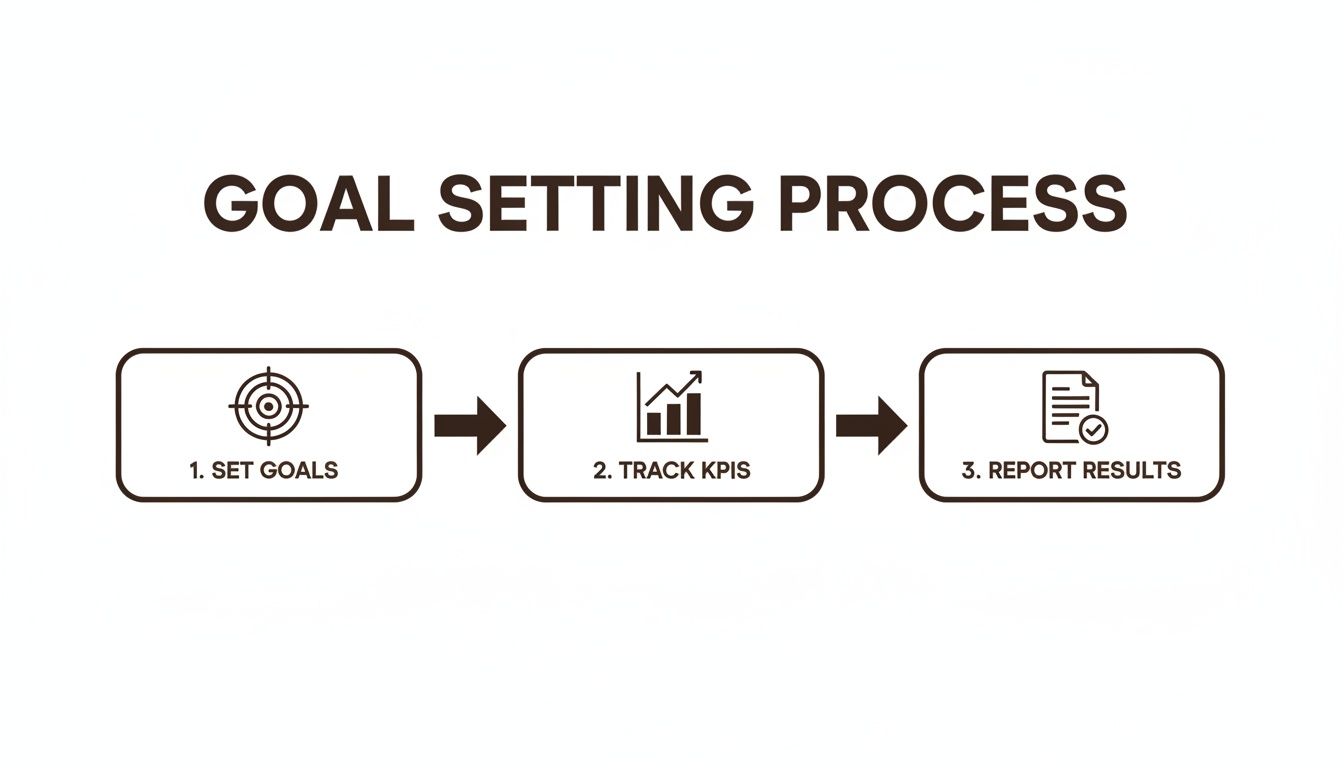
Effective moderation is a strategic loop tied directly to your community's health goals.
Here is a practical workflow for handling moderation:
- Triage: Quickly assess a flagged post. Is it obvious spam? Delete and ban. Does it violate guidelines? Remove it and send a warning. Is it a nuanced situation? Flag it for a second opinion.
- Respond: When a rule is broken, send a polite, private message explaining which rule was violated. The goal is to educate, not punish. Use a simple template to ensure consistency.
- Document: Keep a simple log of moderation actions. This helps identify repeat offenders and notice negative patterns.
Establishing Your Content Cadence
Your content cadence is the rhythm of your community. It’s a sustainable posting schedule that keeps members engaged without overwhelming them. A common mistake is being too self-promotional.
Use the 80/20 rule: 80% of your content should provide value (educational posts, entertainment, conversation starters). Only 20% should be promotional (product launches, sales).
This balance ensures people stay for the value you provide, making them more receptive to promotional content. The market for social listening tools is projected to grow from $9.61 billion in 2025 to $18.43 billion by 2030 because companies recognize the importance of tracking sentiment and responding quickly. This builds trust.
A Day in the Life of a Community Manager
What does a community manager actually do all day? The role shifts between high-level strategy and direct interaction. While no two days are identical, there is a consistent rhythm.
A community manager's schedule is a mix of proactive engagement, reactive moderation, content planning, and performance analysis. This cadence keeps the community active, safe, and valuable.
A typical day starts with a "health check" of all community channels. This involves reviewing overnight conversations, identifying any urgent issues, and getting a sense of the group's mood. It's about listening before you speak.
The Morning Workflow: Engagement and Moderation
The first few hours are dedicated to proactive engagement and moderation. This means sparking conversations, welcoming new members personally, and highlighting great contributions. The goal is to set a positive tone for the day.
Simultaneously, the manager handles moderation tasks: reviewing flagged content, removing spam, and gently reminding members of the guidelines. This behind-the-scenes work is crucial for maintaining a constructive environment, a cornerstone of successful community management social media.
This Community Manager job description from Glassdoor illustrates the diverse skills required.
The role demands strategic thinking, from moderating forums to analyzing engagement data to understand what resonates with the community.
Afternoon Strategy and Content Planning
The afternoon focus often shifts from real-time interaction to long-term planning. This is the time to analyze performance data, identifying which posts drove engagement and which fell flat. The manager also connects with other teams, like marketing or product, to share valuable feedback from the community.
This part of the day is often used for creating and scheduling content. For a B2C fashion brand, this might mean planning an interactive poll about a new collection. For a B2B tech community, it could involve outlining a live Q&A with a lead engineer.
A community manager's day is a constant cycle of listening, engaging, protecting, and planning. It requires empathy to connect with members and a strategic mind to align community activities with business goals.
The day typically ends with a final sweep of the community to ensure no important conversations were missed. On a weekly basis, the manager compiles reports on key metrics like sentiment and engagement rates. Monthly, they review the overall strategy, making adjustments to ensure the community continues to grow and provide value.
When It’s Time to Move to Your Own Platform
Starting your community on a major social media platform is a smart first step. It's where people already are, making it easier to attract initial members and build momentum. However, as your community grows, you may feel like you've built your house on rented land.
The platform that helped you grow can start to feel restrictive. You're subject to unpredictable algorithm changes that can harm your reach, and you have little control over the community's design and functionality. This is when moving to a platform you own becomes a critical step for your community's future.
Taking Back the Reins
The primary reason to switch is control. On your own platform, you set the rules, own your member data, and design the user experience. You are no longer vulnerable to a tech giant's algorithm updates.
Here’s what you gain by moving:
- Full Data Ownership: Get direct access to member emails and analytics. This allows you to understand your members deeply and communicate with them directly.
- Freedom from Algorithms: Your posts reach everyone they are intended to. You no longer have to worry about an algorithm update destroying your engagement.
- Custom Tools and Vibe: Build the exact space you envision. Implement specific moderation tools, add features like gamification, and create a unique brand experience.
- Direct Monetization: An owned platform opens up revenue opportunities like paid memberships, premium content tiers, and integrated online courses.
Moving to an owned platform is about turning a borrowed audience into a durable, defensible asset for your business. It's the single best investment you can make in your brand's long-term health.
How to Nail the Big Move
Migrating a community requires clear communication and a focus on member benefits. You can't just share a link and hope people follow; you must sell them on the upgrade.
Here is a step-by-step playbook for a smooth migration:
- Communicate Early and Often: Start teasing the new platform weeks in advance. Explain why you are moving, focusing on benefits for them: a better experience, exclusive content, fewer distractions, and more direct connection.
- Reward the Early Birds: Incentivize your most loyal members to move first. Offer a "Founding Member" badge, a product discount, or an exclusive AMA session on the new platform.
- Run a "Dual-Posting" Period: For a few weeks, post all content in both the old and new communities. This ensures no one misses important information and gives people time to adapt.
- Make the New Platform the Main Event: Gradually start reserving your best content and events for the new platform. This creates a natural fear of missing out (FOMO) that encourages others to migrate.
A successful migration provides the foundation for a lasting and valuable community, unlocking its true potential.
Your Action Plan for Building a Thriving Community

Let's turn theory into action. This roadmap will help you transform a passive audience into an active and loyal community.
A solid foundation is crucial. Planning now prevents future headaches and sets you up for sustainable growth.
A Four-Step Launch Plan
Use this as your pre-launch checklist. Each step builds on the last, creating a cohesive plan that connects daily actions to measurable goals.
Define Your "Why" What is the purpose of your community? Are you reducing support tickets, gathering product feedback, or connecting people with a shared passion? Write a one-sentence mission statement to use as your guide. Example: "To create a supportive space for freelance writers to share advice, find collaborators, and grow their businesses."
Choose Your Home Base Go where your audience already is. Pick one or two primary platforms to focus your energy. It's better to build real momentum in one place than to be spread thin across five. Example: If your audience is B2B professionals, LinkedIn might be better than TikTok.
Develop an Engagement Playbook Plan your first month of content. What conversation starters will you use? How will you welcome new members? Map out a simple content schedule (e.g., three value posts and one promotional post per week) to maintain consistency. Example: Mondays - "Member Spotlight," Wednesdays - "Weekly Challenge," Fridays - "Ask Me Anything."
Set Up Simple Metrics Start with 2-3 key performance indicators (KPIs). Choose metrics that signal a healthy community, such as your average response time, member-initiated conversations per week, or new member retention rate. This keeps you focused on what truly matters.
Building a community is less about having all the answers and more about consistently showing up, listening, and creating a space where people feel valued. Your action plan is simply the framework that makes this consistency possible.
This structured approach helps you measure what's working and improve your community management social media skills over time.
Remember, a strong community does more than drive sales. Understanding community social impact reveals how these connections create positive change far beyond the bottom line.
Frequently Asked Questions
Even with a solid strategy, you'll face challenges. Here are answers to two common questions that arise in the day-to-day management of a community.
What’s the Best Time to Post Content?
There is no universal "best" time to post. The right time is when your specific audience is most active.
Use your platform's analytics to see when your followers are online. Experiment by posting at different times and on different days, and track your engagement metrics. After a few weeks, patterns will emerge, revealing your optimal posting times. For example, if your analytics show a spike in activity at 12 PM EST on weekdays, schedule your most important content for that slot.
How Do I Handle a Negative or Disruptive Member?
Handling negativity requires a firm but fair approach. Do not immediately delete critical comments. If someone provides legitimate feedback, even if it's harsh, address it publicly and professionally. This builds trust with the rest of the community.
However, when a member engages in spam, harassment, or abuse, you must act decisively.
Your primary responsibility is to protect the safe space you have created. A single toxic member can ruin the experience for everyone. Consistent moderation is a promise to your community.
Here’s a simple three-strike framework:
- First Strike: Remove the offending comment and send the person a private message explaining which rule they broke. Example: "Hi [Name], I've removed your recent comment as it violated our community guideline against personal attacks. Please review our guidelines here..."
- Second Strike: Implement a temporary ban (e.g., 24 hours) and issue a final, clear warning.
- Third Strike: Permanently remove the member from the community.
This clear process makes your community management social media efforts fair and transparent, helping you maintain a positive and supportive environment.
Ready to stop juggling a dozen different tools and build your thriving community all in one place? Kampunity combines courses, events, chat, and payments into a single, powerful platform designed just for creators. Start building your paid learning community and turn your audience into loyal, engaged members today. Learn more and get started for free at Kampunity.