

7 Practical Community Guidelines Examples to Protect Your Paid Community


Table of Contents
- 1. Kampunity - The All-in-One Template
- 2. Trust & Safety Professional Association (TSPA) – Trust & Safety Library
- 3. CommunityRule
- 4. Discord – Community Guidelines
- 5. YouTube Help – Community Guidelines
- 6. Contributor Covenant – Code of Conduct Template
- 7. Gumroad – Community Agreements/Guidelines Templates (marketplace)
- Community Guidelines: 7-Source Comparison
- Your Next Step: From Examples to Action
Building a paid learning community requires more than great content; it needs a safe and respectful environment. Vague rules like "be nice" are not enough. When conflict happens, unclear guidelines cause confusion, inconsistent moderation, and member frustration. Clear, specific rules are the foundation of a successful community, protecting both your members and your brand.
This guide provides actionable community guidelines examples you can use immediately. We will analyze real-world examples from platforms like Discord and professional resources like the Trust & Safety Professional Association (TSPA). You will get templates and practical advice tailored for paid learning communities, online courses, and membership sites.
Inside, you will find:
- Guideline Breakdowns: Detailed analysis of rules for public, private, and course communities.
- Actionable Templates: Ready-to-use snippets and templates you can adapt.
- Strategic Insights: Explanations of why specific phrasing works and how it prevents common problems.
- Moderation Steps: Practical steps for applying these guidelines in real situations.
Each example includes screenshots and direct links so you can see the guidelines in action. This resource gives you the specific language and structure needed to build a strong community foundation. Let's create the clear, enforceable rules your community deserves.
1. Kampunity - The All-in-One Template
Kampunity provides the tools and templates to build a paid learning community from scratch. For creators needing community guidelines examples, Kampunity offers a complete solution that combines pre-built structures with the flexibility to customize rules for your specific environment. This makes it a great starting point for anyone building a paid community.
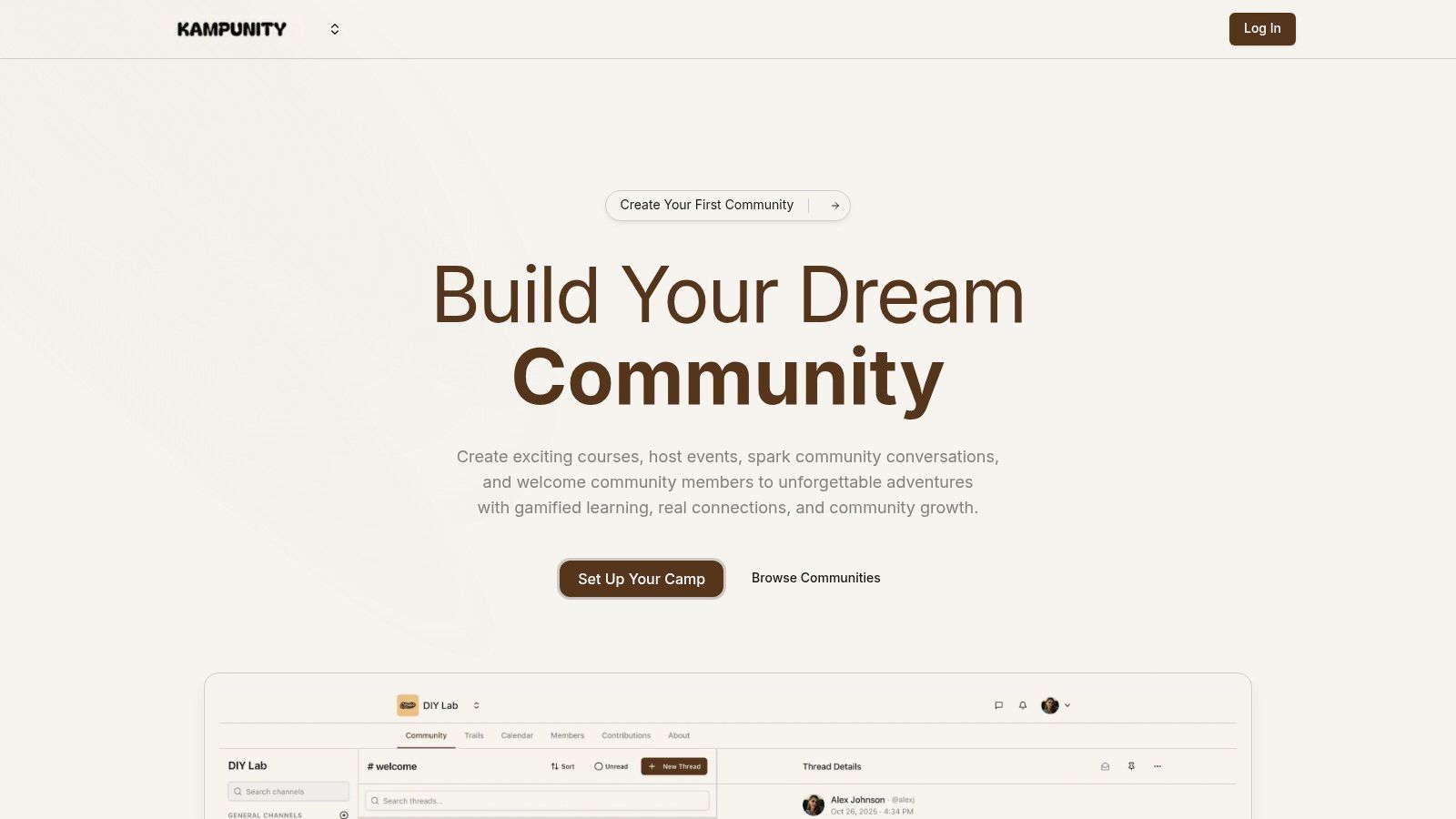
The platform is built to simplify running a digital learning business by replacing multiple tools with one workspace. Its value is in how it integrates community management, course delivery, events, and payments. This allows you to tie your guidelines directly to platform features like member roles, channels, and access levels.
Why Kampunity Works for Implementing Guidelines
Kampunity's structure provides a practical blueprint for how guidelines should function. Instead of just a document, it delivers the technical framework needed to enforce your rules effectively.
- Role-Based Enforcement: The platform has specific moderation and role controls (e.g., Admins, Moderators, Members, Students). This lets you translate your rules directly into user permissions, defining who can post, who can moderate, and who has read-only access.
- Context-Specific Rules: With dedicated channels for public chat, private groups, and course-only discussions, you can create and enforce different rules for each area. For example, a "General Chat" channel can have looser rules than a "Course Q&A" channel, which needs focused discussion.
- Integrated Consequences: Because courses, events, and the community are linked, enforcement can be tied to platform access. Breaking a rule could mean losing privileges in a channel or even being removed from a course, making consequences clear and immediate.
Key Insight: Kampunity turns community guidelines from a static document into a functional system. The platform’s features provide the tools to enforce the rules you write, creating a direct link between policy and action.
Actionable Takeaways for Your Community
Here are practical steps to build a more effective moderation system on a platform like Kampunity:
- Map Roles to Responsibilities: Before you launch, define what each user role (e.g., Student, Mentor, Moderator) can do. Document these permissions in your guidelines so members understand the community structure.
- Create Channel-Specific Rules: Post a pinned message in each important channel outlining its purpose and rules. For instance, in a "Feedback" channel, a rule could require members to use a specific format for submitting their work.
- Link Payment Tiers to Privileges: Clearly state in your guidelines what access and privileges each payment tier receives. This manages expectations and shows the value of higher-level subscriptions.
Platform Access and Pricing
Kampunity offers a simple pricing model that scales with your growth.
- Free Plan: Start for free with a 10% platform fee on all transactions (plus standard Stripe processing fees). This is good for testing your community idea.
- Pro Plan: For $99 per month per "camp," the platform fee drops to 1.5%. This plan is more cost-effective if you make over $1,165 in monthly recurring revenue.
This structure lets new creators start with low upfront costs, while established communities can lower their transaction fees as they grow. The platform’s focus on integrated payments, gamification, and event management makes it a powerful choice for building and managing a paid learning community.
Website: https://www.kampunity.com
2. Trust & Safety Professional Association (TSPA) – Trust & Safety Library
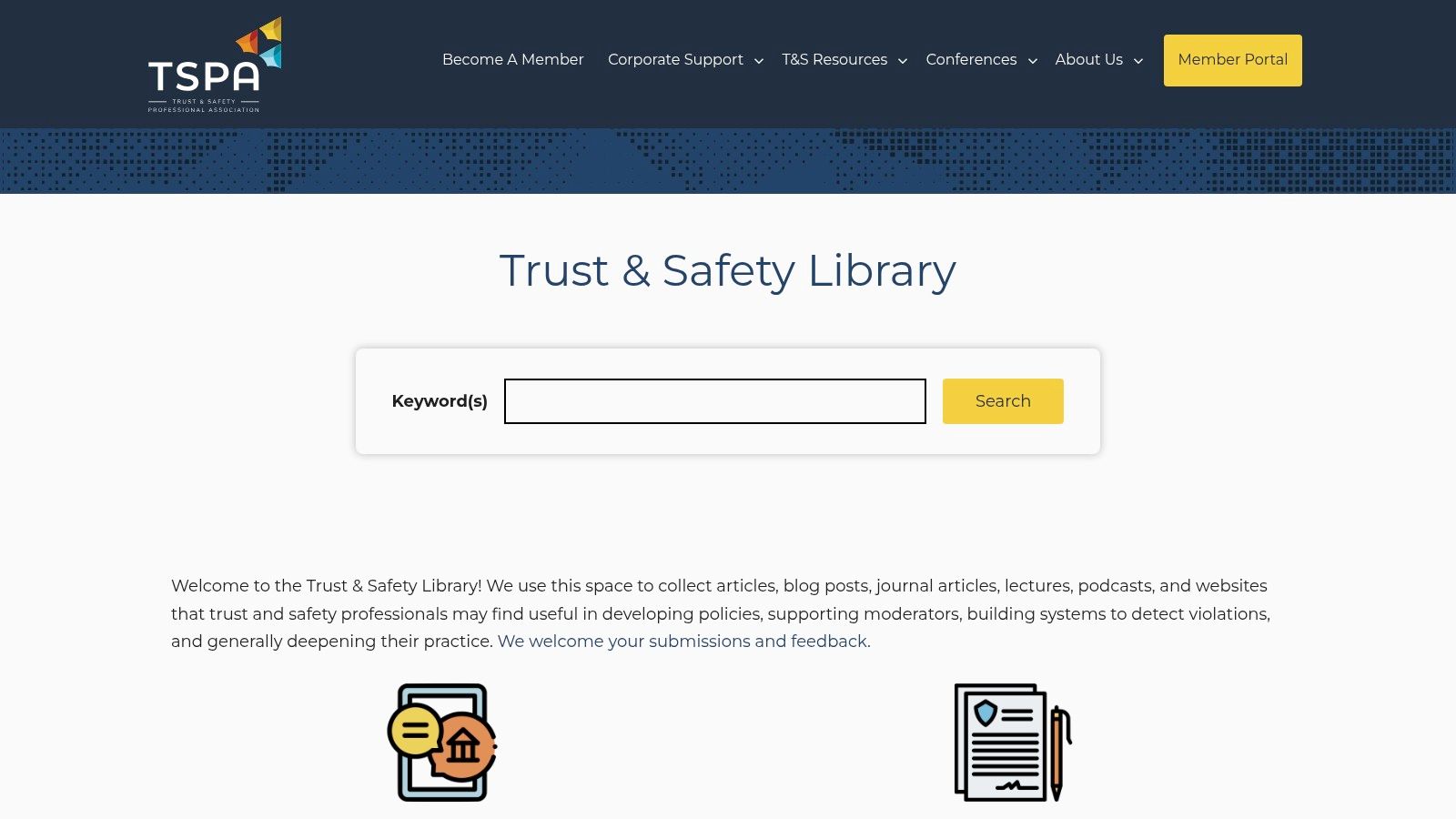
The Trust & Safety Professional Association (TSPA) Library is a key resource for understanding the "why" behind policy decisions. Instead of a single template, it’s a research hub that collects real-world community guidelines examples from dozens of major platforms. This lets you compare your rules against industry standards, saving hours of research.
The library is not a policy generator; it is a professional index for deep research. Think of it as a specialized library for trust and safety. Its main value is its high-quality curation, showing only relevant policies from companies like Discord, Meta, Reddit, and Twitch, along with insights from civil-society groups.
Strategic Analysis & Actionable Takeaways
Use TSPA's library for strategic adaptation, not just copy-pasting. By comparing how different platforms handle similar issues, you can find patterns and best practices for your own community's niche.
- Benchmark Against Leaders: Use the "Community guidelines" filter to see how established platforms structure their rules. Notice how they balance precise language with a user-friendly tone.
- Contextualize Your Policies: Explore other categories like "Enforcement Mechanisms" and "Transparency Reporting." This shows you not just what the rules are, but how they are enforced. Understanding this helps strengthen your own rules.
- Track Policy Evolution: The library is updated regularly, offering a view of how guidelines change over time. This helps you future-proof your own policies.
Key Insight: The best community guidelines are informed by industry precedents. TSPA provides the data to make those informed decisions, moving you from reactive to proactive policy-making.
How to Use the TSPA Library Effectively
To get the most from this resource, have a specific research goal. For example, if you are drafting a policy on user-generated content, use the library to find and compare how three or four different platforms address it.
Step-by-Step Guide:
- Identify a Policy Need: Determine a specific rule you need to create or improve (e.g., hate speech, spam, misinformation).
- Filter and Search: Go to the TSPA Library and use the "Community guidelines" filter. You can also search with keywords.
- Compare and Contrast: Open the guidelines from 3-5 different companies. Note similarities in definitions and differences in enforcement language.
- Synthesize and Draft: Use your findings to write a policy that is clear, comprehensive, and tailored to your community.
Pros & Cons
| Pros | Cons |
|---|---|
| High-Quality Curation: Saves time by providing vetted resources. | Not a Generator: You must still draft and adapt your own policies. |
| Broad Context: Includes enforcement and transparency information. | External Links: Many resources are on their original sites, requiring extra clicks. |
| Free and Accessible: No login or payment is required. | Professional Focus: May be overwhelming for absolute beginners. |
This resource is a goldmine for those serious about building safe communities. By studying how different platforms handle complex issues, you can better understand the principles behind effective moderation. To see these principles applied, you can explore case studies of community-led social impact that benefit from strong governance.
Website: https://www.tspa.org/explore/trust-safety-library/
3. CommunityRule
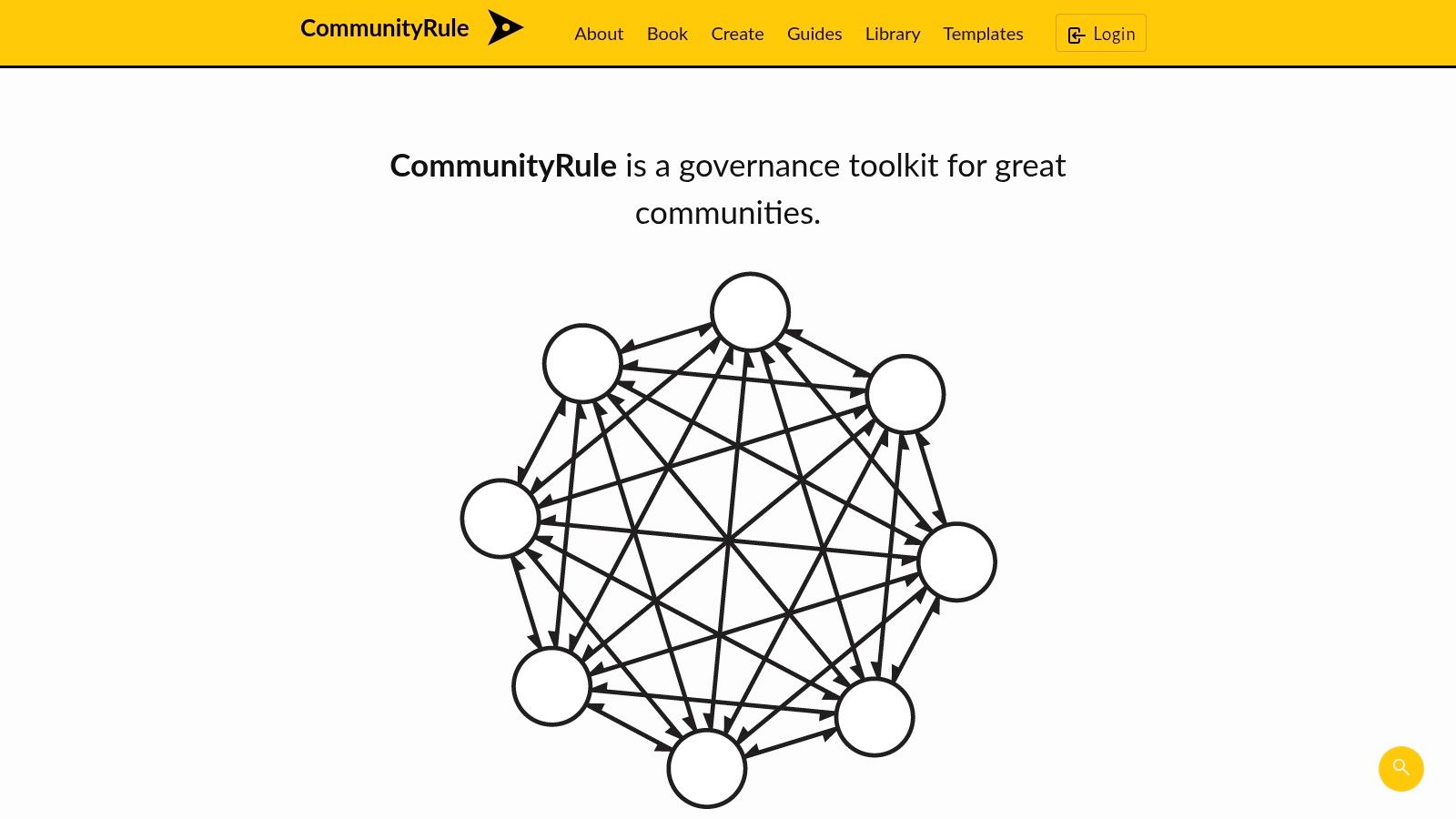
CommunityRule is a toolkit for establishing clear governance and collaborative rule-making. It goes beyond simple behavioral rules to provide a framework for creating community charters and agreements. Instead of just listing what not to do, it helps you define your community's purpose, decision-making processes, and member roles.
CommunityRule stands out by combining a library of templates with a simple editor, letting you draft, customize, and publish your rules. Its core idea is that good governance is co-created. The platform includes a public library of community guidelines examples from other real-world communities, so you can learn from their structures.
Strategic Analysis & Actionable Takeaways
CommunityRule is designed for proactive governance, not just reactive moderation. Using its templates, you can build a strong foundation that clarifies expectations and empowers members. This is especially useful for paid learning communities where clear structure improves the member experience.
- Build a Holistic Charter: Use the templates to create a full community charter, not just a list of "don'ts." Address questions like "What is our purpose?" and "How do we make decisions?" This prevents future conflicts by establishing clear processes early.
- Borrow Proven Structures: Explore the public library to see how other communities handle governance. Look for models that match your community's size and purpose, and adapt their frameworks for roles, responsibilities, and conflict resolution.
- Facilitate Co-Creation: The editor makes it easy to draft rules and share them with members for feedback. This collaborative process builds buy-in and ensures the guidelines reflect the community's shared values.
Key Insight: Effective guidelines are part of a larger governance framework. CommunityRule provides the tools to build that framework, moving beyond simple rules to create a resilient, member-driven charter.
How to Use CommunityRule Effectively
Use CommunityRule at the start of your community-building journey or during a strategic review. It helps formalize the unwritten rules that often exist in new communities.
Step-by-Step Guide:
- Select a Base Template: Start with a template that aligns with your community’s goals, like a "Code of Conduct" or "Community Agreement."
- Customize with the Editor: Use the simple editor to walk through each section, answering questions about your community's purpose, values, and processes.
- Define Roles and Responsibilities: Clearly outline the roles of members, moderators, and administrators. This is vital for managing expectations in a paid learning environment.
- Publish and Share: Publish your final rules on CommunityRule or export them. Share the link in your onboarding materials so all members have access.
Pros & Cons
| Pros | Cons |
|---|---|
| Holistic Governance Focus: Helps build a complete charter, not just rules. | Requires Platform-Specific Detail: Templates need to be adapted with your platform's enforcement actions. |
| Purpose-Built for Communities: Designed for collaborative groups, not brands. | No Legal Review: Templates are not legal advice and may require professional review. |
| Free and Open: The site and templates are free to use and adapt. | Can Seem Overwhelming: May feel too detailed for very simple communities. |
This resource is ideal for founders who know that a strong community is built on a clear, shared understanding of its purpose and processes.
Website: https://communityrule.info/
4. Discord – Community Guidelines
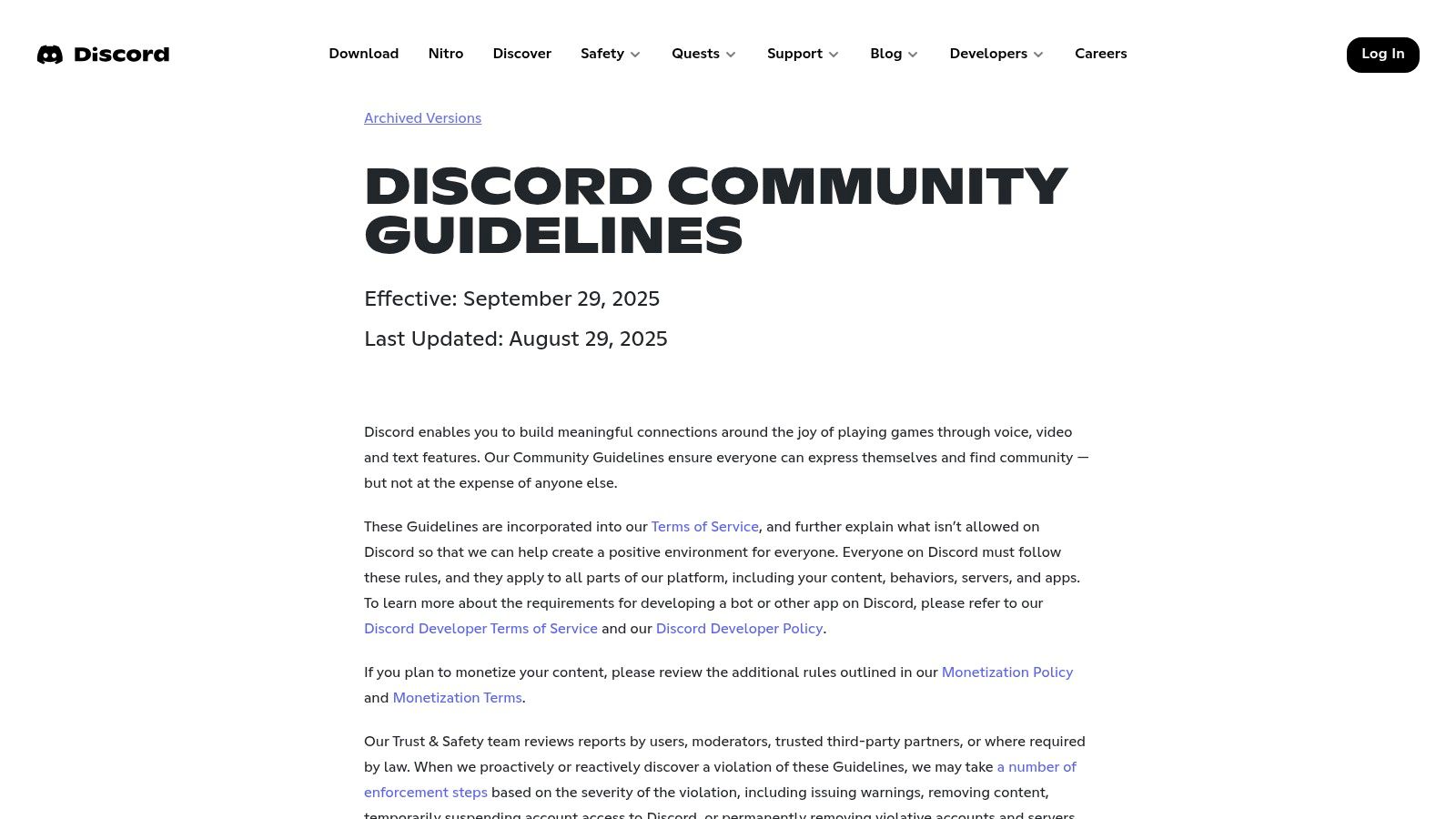
Discord’s public Community Guidelines are a useful case study for how to manage rules at a massive scale. While many resources offer templates, Discord provides a real-world example of how a platform communicates its rules, enforcement actions, and appeals processes to millions of users. This makes it an excellent model for clarity, structure, and tone.
Discord's guidelines are written for a global audience, balancing simple language with links to more detailed policies. It's a user-friendly entry point to a more complex safety framework. Its value is in showing how to organize policies into clear, thematic categories that are easy for members to find and understand.
Strategic Analysis & Actionable Takeaways
Discord’s approach is a masterclass in layered information, making it a powerful model for any community. By studying their structure, you can learn how to create rules that are both accessible and comprehensive.
- Model the Thematic Structure: Organize your rules into clear categories like "Safety," "Respect," and "Content." Discord uses headers like "Do Not Organize, Participate in, or Encourage Harassment" to make rules easy to understand.
- Create a Policy "Hub": Notice how Discord’s main guidelines are concise but link to more in-depth articles. This layered approach keeps the main rules readable while providing detail for those who need it.
- Communicate Enforcement Clearly: Discord explicitly states the consequences of violations, including account suspension or removal. This transparency manages expectations and reinforces the seriousness of the guidelines.
Key Insight: Your community guidelines are a communication tool first and a legal document second. Prioritize clarity and scannability, like Discord, to ensure your members can read, understand, and follow the rules.
How to Use the Discord Guidelines Effectively
Use Discord's guidelines as a structural and tonal reference, not a template to copy. Your goal is to adapt their principles of clarity and organization to your own community’s needs.
Step-by-Step Guide:
- Map Your Policy Categories: Review Discord’s main guideline categories (e.g., Violent and Graphic Content, Hate Speech, Spam). Use this as a checklist to see if your own community has gaps in its rules.
- Borrow Phrasing for Clarity: Pay attention to their direct, action-oriented language. Phrases like "Do not share..." or "Respect others..." are clear and unambiguous. Adapt this style for your own rules.
- Outline Your Enforcement Ladder: Analyze how Discord describes its reporting and appeals process. Use this to help you draft a simple document explaining how your community handles rule violations.
- Synthesize and Simplify: Take inspiration from Discord's layout to create your own well-organized, easy-to-read guidelines page.
Pros & Cons
| Pros | Cons |
|---|---|
| Clear, Modern Layout: Excellent readability and user-friendly language. | Platform-Specific: Not a direct template; requires adaptation. |
| Scale and Precedent: Shows how a major platform handles complex policies. | Relies on Discord Ecosystem: Some enforcement tools may not exist on other platforms. |
| Free and Accessible: No sign-in required to view the guidelines. | Overly Broad for Niches: May be too general for small, specific learning communities. |
Discord's guidelines are a prime example of effective communication in community management. By studying their structure and language, you can build a foundation of trust and safety for your members.
Website: https://discord.com/guidelines
5. YouTube Help – Community Guidelines
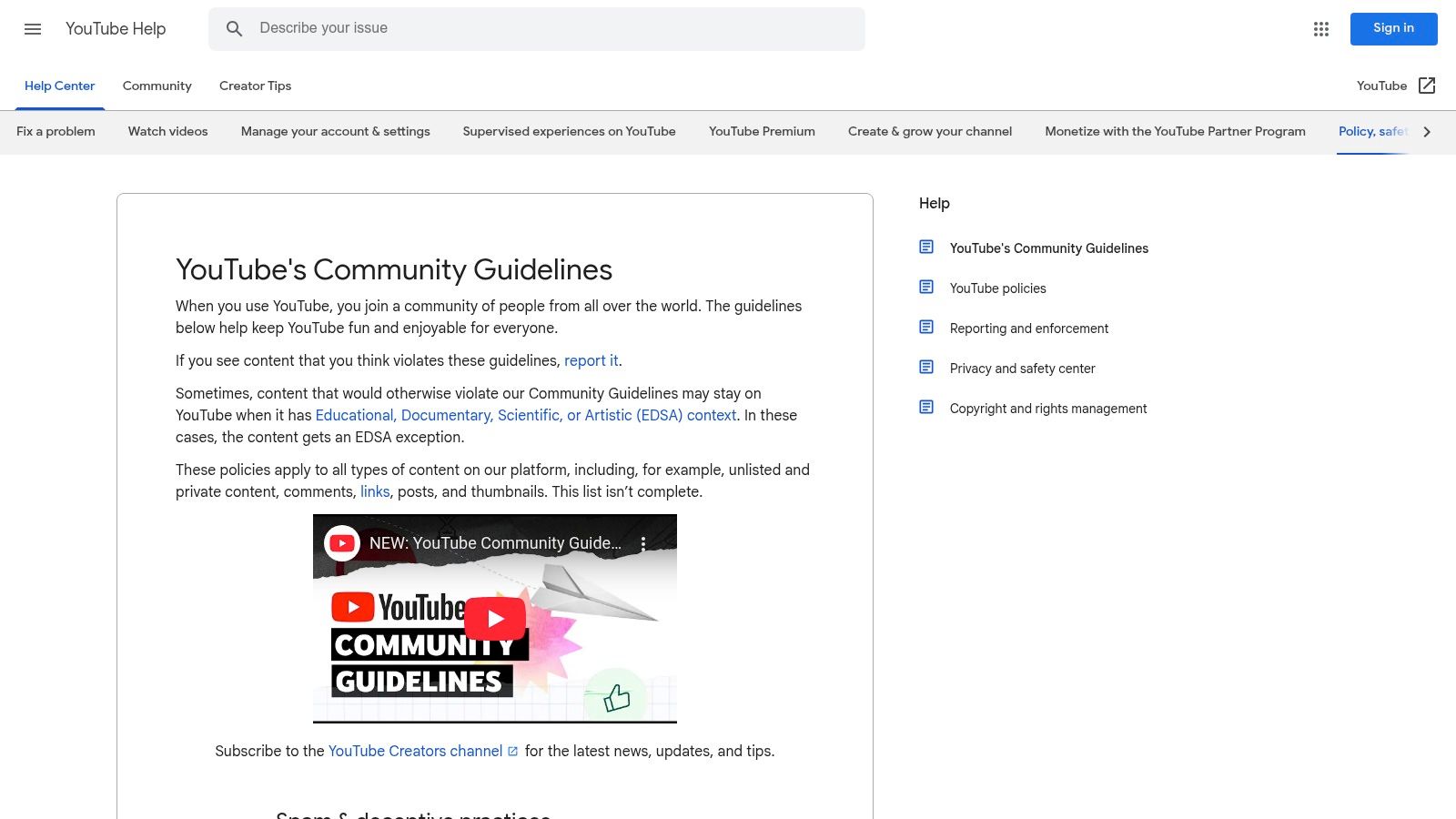
YouTube’s Community Guidelines are a masterclass in policy design for communities dealing with complex content. While most communities won't need this level of detail, it provides an excellent blueprint for structuring rules and defining harm. This resource is less a template and more a case study in creating robust, scalable community guidelines examples.
YouTube’s strength is its clear, category-based structure. Policies are grouped into sections like "Spam & deceptive practices" and "Sensitive content," making rules easy to find. This approach shows how to build a governance framework that can grow with your community, covering everything from comments and links to unlisted content.
Strategic Analysis & Actionable Takeaways
The real value for community builders is in studying YouTube’s approach to nuance and exceptions. By breaking down their policies, you can learn how to create rules that are firm yet flexible enough to handle complex human interactions.
- Model Clear Definitions: See how YouTube defines violations like "hate speech" or "harassment." They provide explicit examples of what is and isn't allowed, reducing confusion for users and moderators.
- Implement Contextual Exceptions: The Educational, Documentary, Scientific, or Artistic (EDSA) exception policy is a powerful concept. For learning communities, this is crucial. It shows how to allow potentially sensitive content when its purpose is constructive, not harmful.
- Define Your Policy Scope: YouTube states that guidelines apply to all content types, including thumbnails, links, comments, and private videos. This comprehensive scope is vital for ensuring no part of your community becomes an unmoderated loophole.
Key Insight: The most effective guidelines anticipate edge cases. Studying YouTube's detailed exception handling helps you build a more resilient and fair policy framework that supports your community's purpose.
How to Use YouTube's Guidelines Effectively
Use YouTube's structure as a reference to test and expand your own guidelines. Don't copy their policies; instead, adapt their architectural principles to fit your community's scale and context.
Step-by-Step Guide:
- Audit Your Guideline Categories: Compare your current rule structure to YouTube’s categories. Are there any gaps? Grouping your rules into themes like "Safety," "Respect," and "Content Integrity" improves usability.
- Draft an "Exceptions" Clause: Inspired by EDSA, write a short clause for your community that clarifies how context matters. For example, discussing a sensitive historical event in a history course should be allowed, while baseless hate speech is not.
- Expand Your Scope Statement: Review your guidelines to ensure they cover all interaction points, such as DMs, event chats, user profiles, and attachments.
- Refine Violation Examples: For your most critical rules, add 2-3 specific "what this looks like" examples to improve clarity, mirroring YouTube’s approach.
Pros & Cons
| Pros | Cons |
|---|---|
| Industry-Leading Structure: Excellent blueprint for organizing policies. | Overwhelmingly Dense: Too much detail for smaller communities. |
| Advanced Exception Handling: The EDSA model is a powerful concept for learning communities. | Platform-Specific: Many rules are tied to video content and may not be relevant. |
| Comprehensive Scope: Shows how to apply rules across all content types. | Lacks Personal Touch: The corporate tone may not fit a smaller, tight-knit group. |
Analyzing how one of the world's largest platforms documents its rules provides invaluable insights for building a clear, scalable, and fair system. Mastering these principles is a core part of effective community management on social media and beyond.
Website: https://support.google.com/youtube/answer/9288567
6. Contributor Covenant – Code of Conduct Template
For communities in tech or collaborative projects, the Contributor Covenant is a powerful, values-driven starting point. While framed as a "Code of Conduct," it functions as a concise set of community guidelines examples that establish a baseline of respect and safety. Its widespread adoption across thousands of projects gives it immediate credibility.
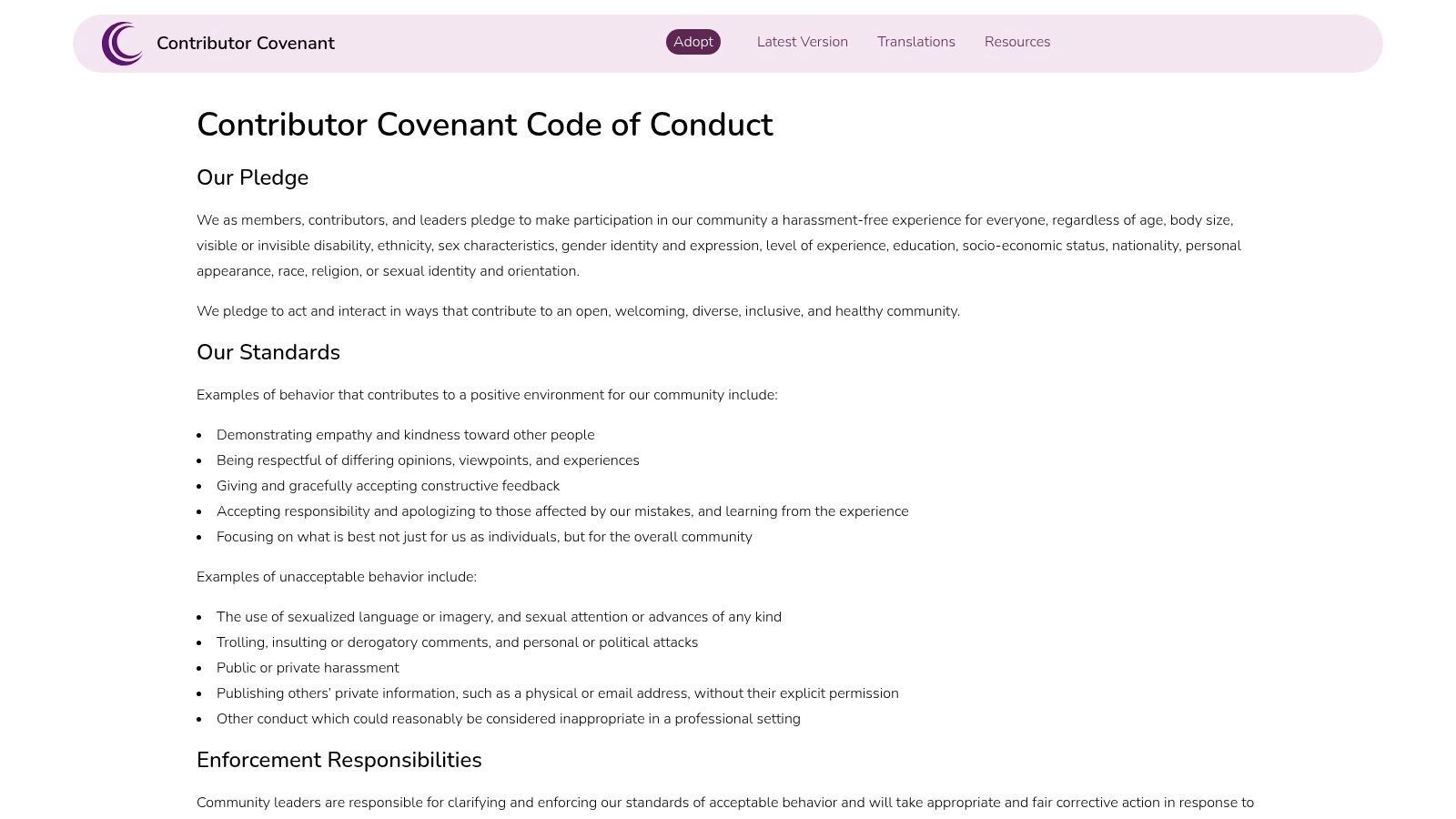
The Contributor Covenant is a universal template designed for adaptation. It provides clear, pre-written language for key sections: a pledge, standards for behavior (positive and negative), scope, and a framework for enforcement. This structure is an excellent foundation for communities that prioritize inclusion and collaboration from day one.
Strategic Analysis & Actionable Takeaways
The strength of the Contributor Covenant is its simplicity and moral authority. It focuses on how members should interact rather than listing exhaustive prohibitions, making it a powerful cultural document.
- Establish a Positive Tone: The document begins with "Our Pledge," immediately framing the community's standards around positive and inclusive actions. This sets a collaborative, not punitive, tone.
- Define Unacceptable Behavior Clearly: It provides explicit examples of unacceptable behavior, such as "the use of sexualized language or imagery" and "trolling, insulting/derogatory comments." This clarity removes confusion.
- Create Instant Legitimacy: Adopting a widely recognized standard like this signals to new members that your community is serious about safety and respect. It borrows authority from the thousands of projects that already use it.
Key Insight: A strong community culture starts with a clear statement of values. The Contributor Covenant provides a respected, battle-tested script that anchors your rules in a foundation of mutual respect and safety.
How to Use the Contributor Covenant Effectively
This template is a starting point. To make it work for your learning community, you must customize its enforcement section to match your moderation workflow and platform tools.
Step-by-Step Guide:
- Choose a Version: Start with the latest version (currently 2.0 or higher) as it is the most comprehensive.
- Adopt the Core Principles: Copy the "Our Pledge" and "Our Standards" sections with minimal changes. These are the heart of the document.
- Customize Enforcement: This is the most critical step. Replace the placeholder "[INSERT EMAIL ADDRESS]" with your actual reporting method (e.g., a dedicated channel, a report button, a specific moderator's handle).
- Specify Consequences: Clearly outline the specific consequences for violations, such as warnings, temporary mutes, or permanent removal from the course.
Pros & Cons
| Pros | Cons |
|---|---|
| Fast to Implement: Provides a credible, complete policy framework in minutes. | Requires Customization: The generic enforcement model must be adapted to your platform. |
| Widely Recognized: Its adoption in tech adds instant legitimacy. | Lacks Platform Specifics: Does not cover rules for spam or self-promotion. |
| Free and Open: Available for anyone to use and adapt without cost. | Values-Focused: May need to be supplemented with more tactical, platform-specific rules. |
This template is an invaluable resource for creating a baseline of respectful interaction. For more ideas on building a positive community culture, you can find additional strategies on the Kampunity blog.
Website: https://www.contributor-covenant.org/version/2/0/code_of_conduct/
7. Gumroad – Community Agreements/Guidelines Templates (marketplace)
For facilitators who need ready-to-use visual assets, Gumroad is a marketplace of downloadable community guidelines examples and agreement templates. Unlike formal policy documents, these resources are often slide decks or worksheets for live workshops or group onboarding sessions. This makes it a great source for creators who need to facilitate norm-setting directly with their members.
The value of Gumroad is its creator-driven approach. You can find instantly downloadable assets, many of which are free or "pay-what-you-want." These templates, created by other facilitators, provide a visually engaging starting point for guiding a conversation about shared values and expected behaviors.
Strategic Analysis & Actionable Takeaways
Gumroad's offerings are best used for collaborative norm creation, not as a substitute for a comprehensive policy. The templates act as catalysts for discussion, empowering members to co-create the rules they will follow.
- Facilitate Co-Creation: Use a downloaded slide deck as the framework for a live onboarding call. Go through each suggested "agreement" and ask members for their input, fostering a sense of shared ownership from day one.
- Set the Tone Visually: A well-designed template can set a welcoming tone more effectively than a wall of text. Choose a template that matches your community's brand to reinforce its culture visually.
- Prototype Your Rules: Before formalizing your rules, use a Gumroad template in a small group to test norms and gather feedback. This is a low-cost way to test your community's guiding principles.
Key Insight: The process of creating guidelines can be as important as the final document. Gumroad templates provide the structure to turn rule-setting into an engaging, collaborative community activity.
How to Use Gumroad Effectively
Success on Gumroad depends on smart searching and careful vetting. Since it is a marketplace, quality varies significantly.
Step-by-Step Guide:
- Search with Specific Keywords: Use terms like "community agreements," "group norms template," "code of conduct slides," or "workshop guidelines" to find relevant assets.
- Review the Creator and Licensing: Before downloading, check the creator's profile. Read the licensing terms to ensure you can use the template for your specific needs (e.g., commercial vs. noncommercial).
- Adapt, Don't Just Adopt: Treat the downloaded file as a starting point. Customize the language, branding, and rules to match your community's context.
- Integrate with Your Tools: Look for templates designed for your preferred software, such as Google Slides, PowerPoint, or Miro, for seamless integration.
Pros & Cons
| Pros | Cons |
|---|---|
| Quick and Inexpensive: Instantly downloadable assets with many free or low-cost options. | Variable Quality: Content quality depends on the individual creator. |
| Facilitator-Friendly: Visual formats are perfect for guiding live group norm-setting. | Not a Legal Substitute: Templates are not a replacement for a formal policy or legal review. |
| Promotes Co-Creation: Encourages a collaborative approach to defining standards. | Licensing Varies: You must check the usage rights for each template. |
Gumroad is an excellent resource for community leaders who believe in building with their members, not just for them. It helps embed your community's values into its foundation.
Website: https://gumroad.com
Community Guidelines: 7-Source Comparison
| Tool | 🔄 Implementation Complexity | ⚡ Resource Requirements | 📊 Expected Outcomes | 💡 Ideal Use Cases | ⭐ Key Advantages |
|---|---|---|---|---|---|
| Kampunity | Moderate — SaaS setup and content/configuration for courses, chat, events | Low technical effort; subscription + platform/Stripe fees (10% free / $99+1.5% option); time to create content | Strong engagement and higher completion; unified monetization and event management | Course creators, cohorts, bootcamps, professional associations | ⭐ All‑in‑one stack with built‑in gamification, events, granular moderation |
| Trust & Safety Professional Association (TSPA) – Trust & Safety Library | Very low — browse and reference; no integration | Minimal — time to research; free access | Faster benchmarking and policy research across platforms | Trust & safety professionals, policy drafters, researchers | ⭐ Curated, cross‑platform examples; high signal‑to‑noise resource |
| CommunityRule | Low — select and edit templates with simple editor | Minimal — time to customize; core templates free | Rapid governance drafts and published community rules | Community managers building charters, codes, agreements | ⭐ Purpose‑built templates and public library for community governance |
| Discord – Community Guidelines | Low — use as a model for tone/structure and enforcement language | Minimal to moderate — read and map policies; some enforcement requires tooling | Clear, scalable examples of enforcement, reporting, and appeals | Platforms seeking platform‑scale policy language and user-facing clarity | ⭐ Platform‑scale clarity, translations, practical enforcement examples |
| YouTube Help – Community Guidelines | Moderate–high — adapting detailed taxonomy and exceptions needs expertise | Significant time/expertise to parse dense documentation and exceptions | Comprehensive policy architecture and explicit exception handling models | Large platforms or teams drafting nuanced, category‑rich policies | ⭐ Industry‑leading structure with explicit EDSA exception guidance |
| Contributor Covenant – Code of Conduct Template | Very low — copy and adapt template quickly | Minimal — small customization effort; legal review advised | Fast credible baseline code of conduct accepted by many communities | Open‑source projects, small communities, repos seeking standard CoC | ⭐ Widely recognized, maintained versions; simple enforceable language |
| Gumroad – Community Agreements/Guidelines Templates | Very low — download and adapt assets instantly | Low cost (free → ~$30); time to review quality and license | Quick facilitator‑ready slides/docs for norm‑setting and workshops | Facilitators, workshop leaders, clubs, event organizers | ⭐ Instant, visual templates in multiple formats; low‑friction acquisition |
Your Next Step: From Examples to Action
We've explored a collection of community guidelines examples, from detailed frameworks like Discord's to adaptable templates from Contributor Covenant. The key takeaway is that effective guidelines are operational blueprints for a healthy and productive learning environment. They are the constitution of your paid community.
Studying these examples is the first step. Now, the real work begins: turning this knowledge into a practical, enforceable framework tailored to your community. Your guidelines must reflect your values, your content, and the expectations of your members.
Core Principles for Your Guidelines
Across all the examples, several core principles stand out. Remember these as you draft or refine your own rules.
- Clarity Over Complexity: Use simple, direct language. Members should immediately understand what is expected, what is prohibited, and what will happen if they break a rule. Avoid legal jargon.
- Proactive, Not Reactive: Anticipate potential issues. Address common friction points like unsolicited feedback, self-promotion, and disagreements over content.
- Enforcement is Everything: A rule without enforcement is just a suggestion. Your guidelines must have a clear, transparent, and consistent enforcement process. How you handle a violation is as important as the rule itself.
Your Action Plan: Build Your Community's Foundation
Follow this focused plan to create a document that serves and protects your members.
- Define Your Core Values: What are the non-negotiable principles of your community? Is it collaborative learning? Respectful debate? Psychological safety? List 3-5 core values to guide your rules.
- Select a Base Template: Choose one of the tools from this article as your starting point. For a collaborative feel, start with the Contributor Covenant. For a structured framework, CommunityRule is an excellent choice.
- Adapt and Customize: Go through your chosen template line by line. Ask: "Does this rule support our core values?" and "How does this apply to our specific community?" Remove what doesn't fit and add what’s missing.
- Integrate and Socialize: Make your guidelines visible and accessible. Pin them in a dedicated channel and reference them during member onboarding. Explain why they exist.
- Establish Your Moderation Workflow: Define your process for handling reports. Who is responsible? What are the steps (e.g., warning, temporary mute, permanent removal)? A clear process ensures fairness.
Strong community guidelines do more than prevent bad behavior; they cultivate the culture you want. They empower members to engage with confidence in a space that is well-managed, safe, and dedicated to their growth. This is one of the most powerful ways to create a premium learning experience that retains members.
Ready to put these principles into action? Kampunity is designed to make implementing and managing your guidelines seamless. Create dedicated channels for your rules, assign moderator roles with specific permissions, and use our tools to build the safe, structured learning environment you envision. Start building a better community today at Kampunity.