

12 Best Online Community Platforms for Creators & Brands

Table of Contents
- 1. Kampunity
- 2. Circle
- 3. Mighty Networks
- 4. Skool
- 5. Kajabi (Communities)
- 6. Discourse (official cloud and open-source)
- 7. Bettermode (formerly Tribe)
- 8. Higher Logic Vanilla (enterprise)
- 9. Hivebrite
- 10. Disciple
- 11. Discord
- 12. Heartbeat
- Top 12 Online Community Platforms — Feature Comparison
- How to Choose the Right Platform: A 5-Step Checklist
Choosing the right online community platform is a critical decision. Pick the wrong one, and you risk low engagement, frustrated members, and a lot of wasted time. With so many options available, it’s hard to tell which platform actually delivers on its promises. This guide cuts through the marketing fluff to give you clear, practical advice.
We’ve tested and compared the top platforms to help you find the perfect fit for your needs, whether you're a creator, coach, or brand. This isn't just a list of features; it's an actionable guide based on real-world use cases.
Here’s what you’ll get:
- Step-by-step analysis of 12 leading platforms, including Kampunity, Circle, and Skool.
- Practical examples showing which platform works best for courses, coaching, or professional networks.
- Clear pros and cons for each option, highlighting what works and what doesn't.
- Direct comparisons on key functions like payments, courses, events, and mobile access.
Each review includes screenshots and direct links so you can see the platforms for yourself. Our goal is to give you a straightforward path to selecting the right tool, helping you build an engaged community from the start. Let's find the best online community platform for you.
1. Kampunity
Kampunity stands out as one of the best online community platforms by offering a truly all-in-one system for creators. It is built for anyone who wants to run a paid learning community without the technical hassle of connecting multiple tools. The platform seamlessly combines community discussions, courses, events, and payment processing into one simple interface. This unified design removes friction, creating a better experience for both you and your members.
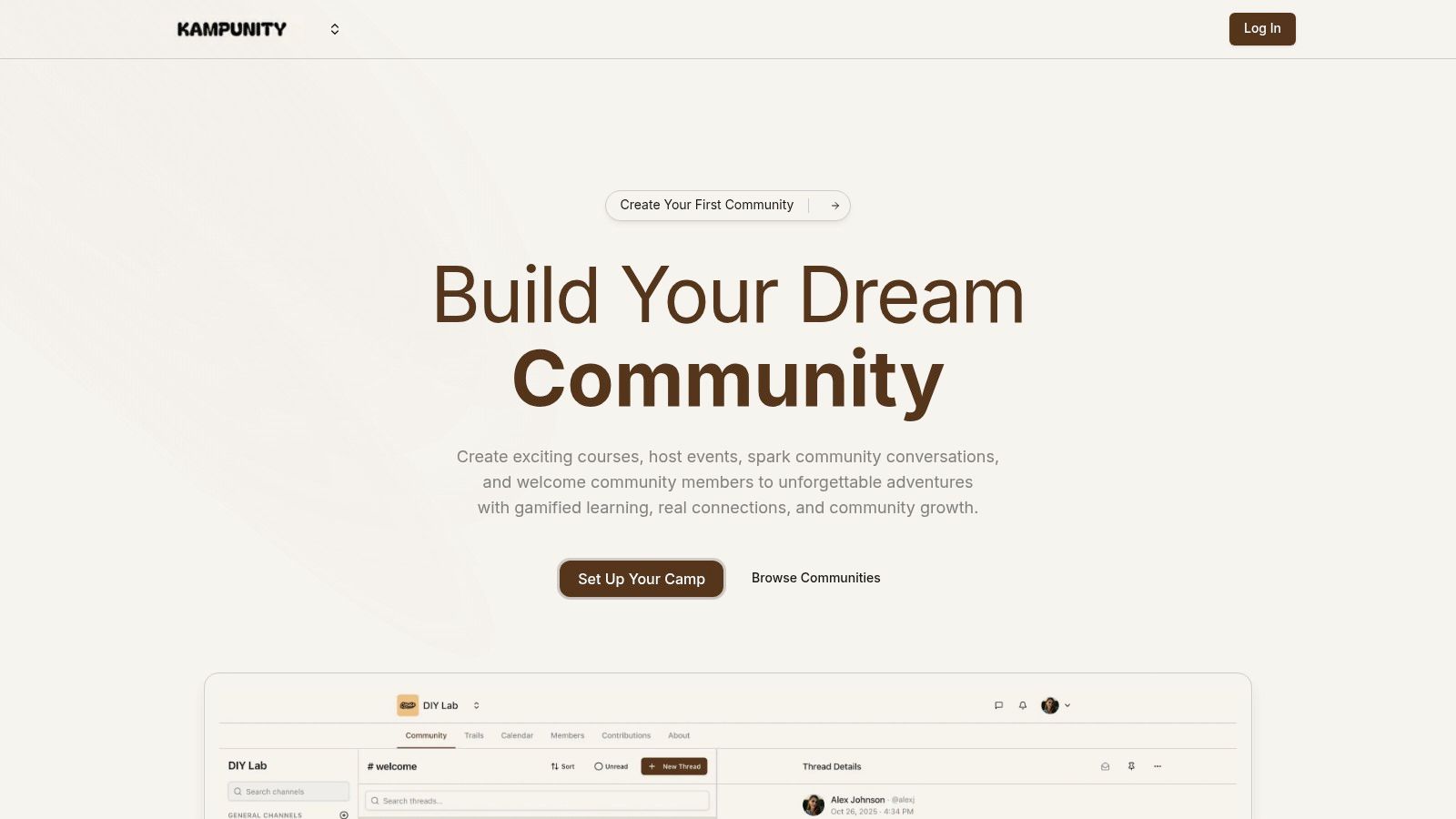
What makes Kampunity different is its focus on learning and participation. It's not just a forum; it's a system designed to help your members make progress.
For example, by integrating gamification (XP, levels, and leaderboards) with course completion and community posts, Kampunity creates a motivational loop that keeps members engaged and boosts course completion rates.
This is a major advantage over platforms where the community and courses feel like separate products. The platform gives you detailed control, letting you create public, private, and course-specific channels to keep conversations organized. For creators, this means you can build a full curriculum with video lessons, quizzes, and assignments, all while your community supports the learning process.
Key Features & Use Cases
- Integrated Learning & Community: Build a course with video lessons and quizzes, and link it directly to a dedicated discussion channel. This is perfect for a cohort-based course where students can ask questions and collaborate right next to the lesson.
- Flexible Monetization: Start a free community to attract an audience, then sell premium access with one-time fees, subscriptions, or different membership tiers. You can create a dedicated landing page for each offer without needing a separate tool.
- Built-in Gamification: Automatically give members experience points (XP) when they finish a lesson or participate in a discussion. This is a practical way to keep members motivated in a long-term program.
- Unified Event Management: Host live workshops or Q&A sessions using the native event tool, which connects to Zoom and Google Meet. It sends automatic reminders and controls access based on membership level to help increase attendance.
Pricing Structure
Kampunity's pricing is designed to grow with you. You can start for free and only pay a platform fee when you start making money.
| Plan | Monthly Cost | Platform Fee | Best For |
|---|---|---|---|
| Starter | $0 | 10% | Creators testing a new community idea or just starting out. |
| Pro | $99 / camp | 1.5% | Established creators who earn over $1,165 per month, where this plan becomes cheaper. |
Note: Standard Stripe processing fees apply to all transactions.
Pros and Cons
Pros:
- True All-in-One Solution: Replaces the need for separate tools for courses, community, events, and landing pages.
- Designed for Engagement: Built-in gamification and the tight link between courses and community lead to higher member participation.
- Simple Monetization: Supports different business models with built-in landing pages to help you sell more.
- Robust Community Management: Detailed channel permissions help you keep your community organized and safe.
Cons:
- Fee Structure on Free Plan: The 10% platform fee on the free plan can be high if you sell low-priced products. The Pro plan is more cost-effective once you reach a certain income level.
- Limited Third-Party Integrations: While it connects with essential tools like Zoom, it doesn't have a large library of third-party app integrations that some power users may need.
Website: https://www.kampunity.com
2. Circle
Circle is a modern community platform designed for creators who want to manage discussions, courses, events, and payments in one place. It is a top choice because it combines a clean user interface with a powerful set of tools, reducing the need for other software.
Its main feature is "Spaces," which lets you create separate areas for different activities, like discussion forums, course modules, or event calendars. This organized structure makes the community easy for both members and administrators to navigate.
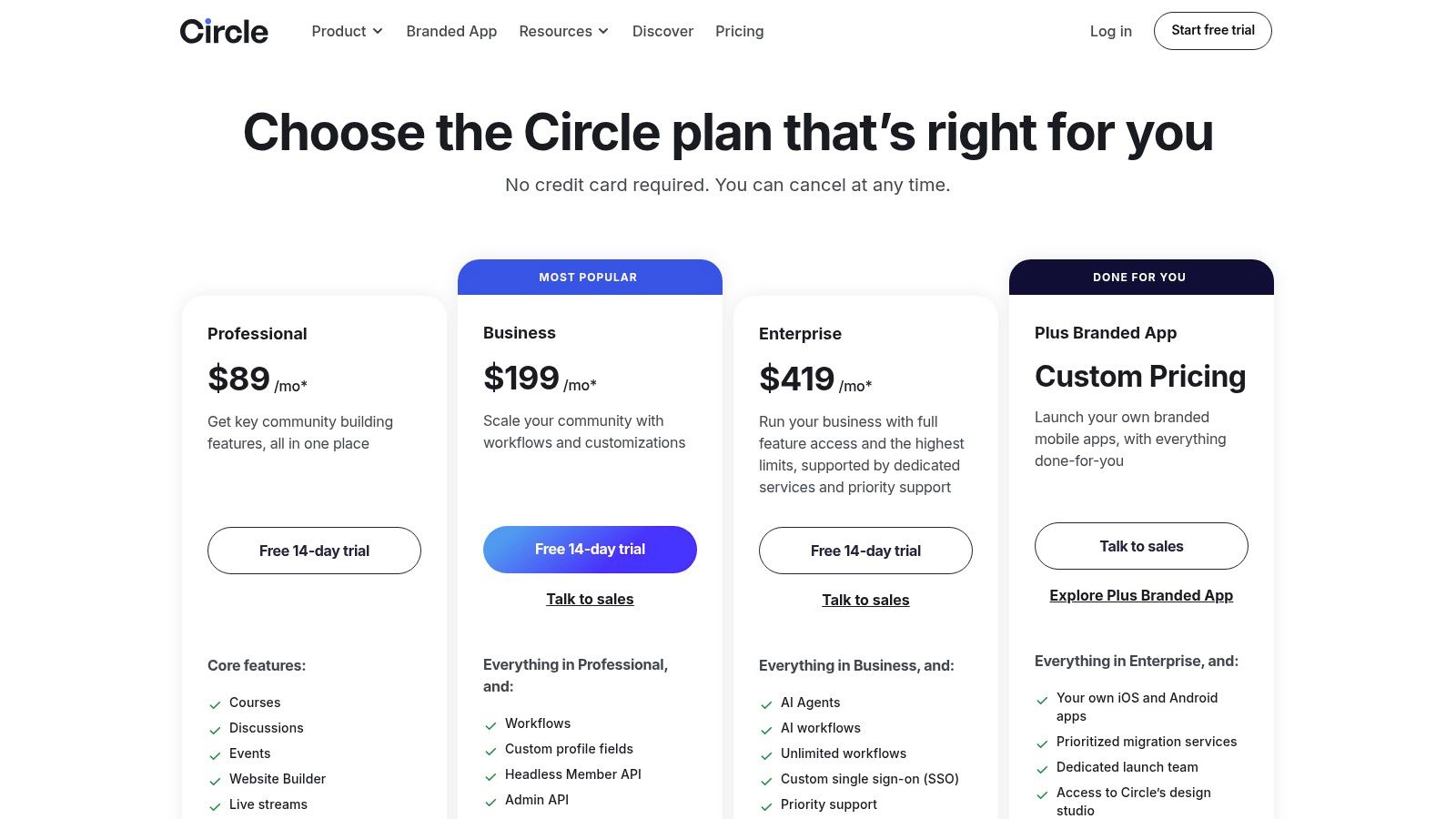
Key Features and Pricing
Circle’s features are designed to support a complete community business, including payment processing and basic automation.
- Pricing: Starts at $49/month for the Basic plan. The Professional plan at $99/month adds courses and live streams.
- Transaction Fees: Circle charges a 4% fee on the Basic plan and a 2% fee on the Professional plan.
- Branded Apps: For a premium feel, Circle offers fully branded mobile apps on its Enterprise plan.
Actionable Tip: If you're a course creator who wants a professional, all-in-one platform without needing complex technical skills, Circle is a great choice. Start with the Professional plan to get access to both courses and community features.
Practical Assessment
Pros:
- Integrated Toolset: Combines key features like discussions, courses, and payments in one platform.
- Easy to Manage: The admin dashboard is well-designed, making it simple to manage your community and create content.
- Strong Support: Circle provides helpful guides and webinars to help you build a successful community.
Cons:
- Advanced Features are Expensive: Important tools like automations and API access are only available on the highest-priced plans.
- Transaction Fees: The fees on lower-tier plans can reduce your net income, especially with high sales volume.
Website: https://circle.so/pricing
3. Mighty Networks
Mighty Networks is an all-in-one platform that helps creators combine community, courses, and content. It excels at building strong member connections using AI-powered suggestions and gamification, making it one of the best online community platforms for communities focused on high interaction.
The platform brings everything into one place, including an activity feed, forums, member profiles, and live events. Its key feature is its AI, which suggests relevant content and connections to new members, helping them get involved quickly.
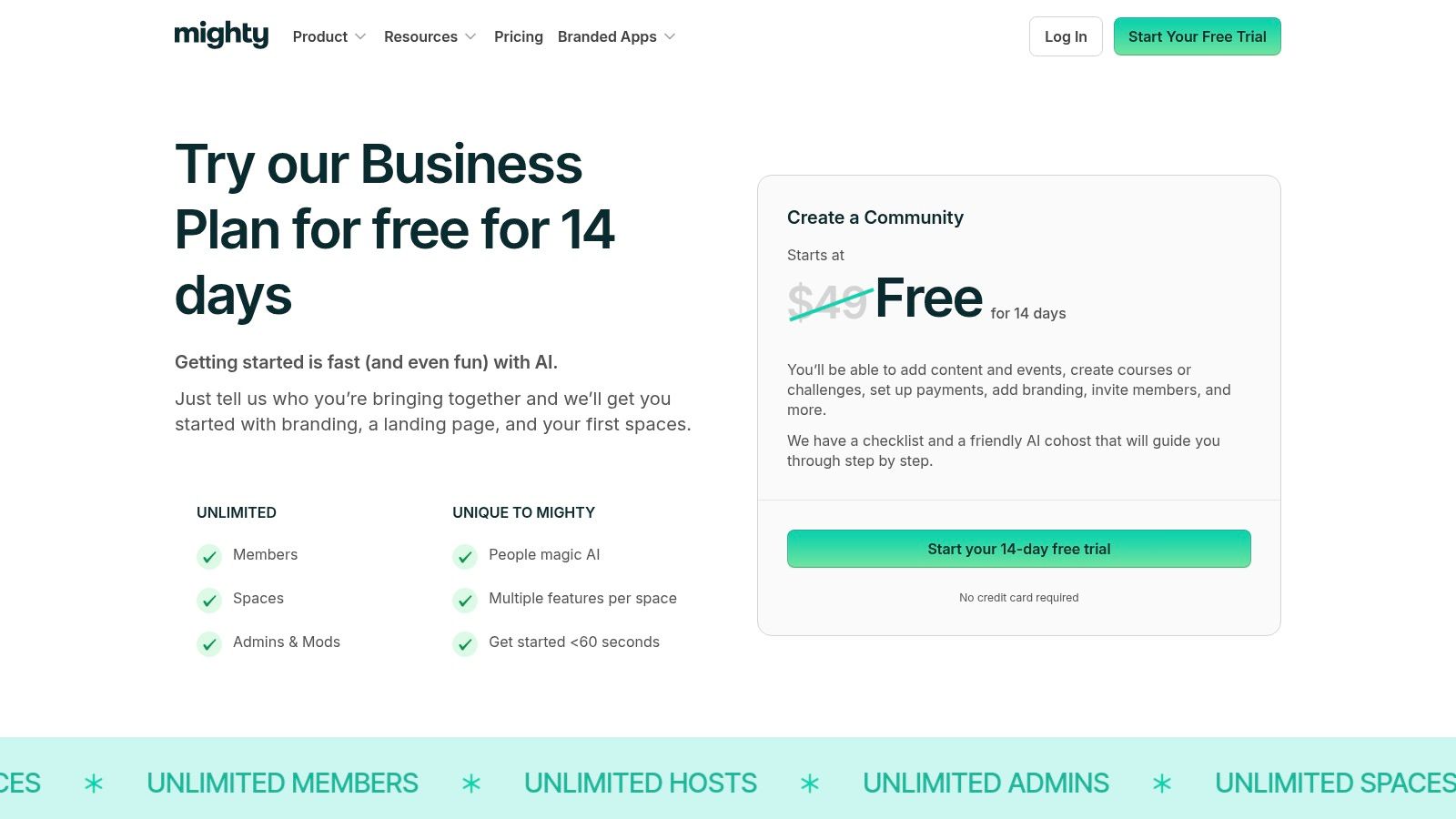
Key Features and Pricing
Mighty Networks provides tools to support a growing creator business, from free groups to paid memberships with multiple tiers.
- Pricing: The Community plan starts at $49/month, the Courses plan is $119/month, and the Business plan is $219/month.
- Transaction Fees: A 2% to 3% fee applies to all payments, depending on your plan.
- Branded Apps: Mighty Networks also offers fully branded mobile apps through its Mighty Pro plan.
Actionable Tip: Use the "Icebreaker" question feature during setup to prompt new members to introduce themselves. This simple step can dramatically increase initial engagement and help members connect with each other from day one.
Practical Assessment
Pros:
- Unlimited Members: All plans support unlimited members, so you can grow without worrying about hitting a limit.
- Flexible Monetization: Easily create different payment tiers, bundles, and free trials to manage your subscription business.
- Strong Engagement Tools: AI-powered profiles and member matching encourage active participation.
Cons:
- Transaction Fees on All Plans: The platform charges transaction fees on top of payment processor fees, which affects your total revenue.
- Integrations are Gated: To connect with other tools through automations, you need to be on the more expensive Business plan.
Website: https://www.mightynetworks.com/pricing
4. Skool
Skool is a simple, creator-focused platform that brings community, courses, and calendars together. It is designed for ease of use and engagement, using gamification like leaderboards and member levels to encourage participation. With its straightforward pricing and clean interface, Skool is one of the best online community platforms for coaches and creators who want a simple, effective solution.
Its main goal is to remove complexity. Instead of juggling separate tools for forums, courses, and events, Skool combines them into one "group," creating a focused environment for members to learn and connect.
Key Features and Pricing
Skool’s features are intentionally minimal, focusing on what a creator-led community truly needs, like course hosting and event scheduling.
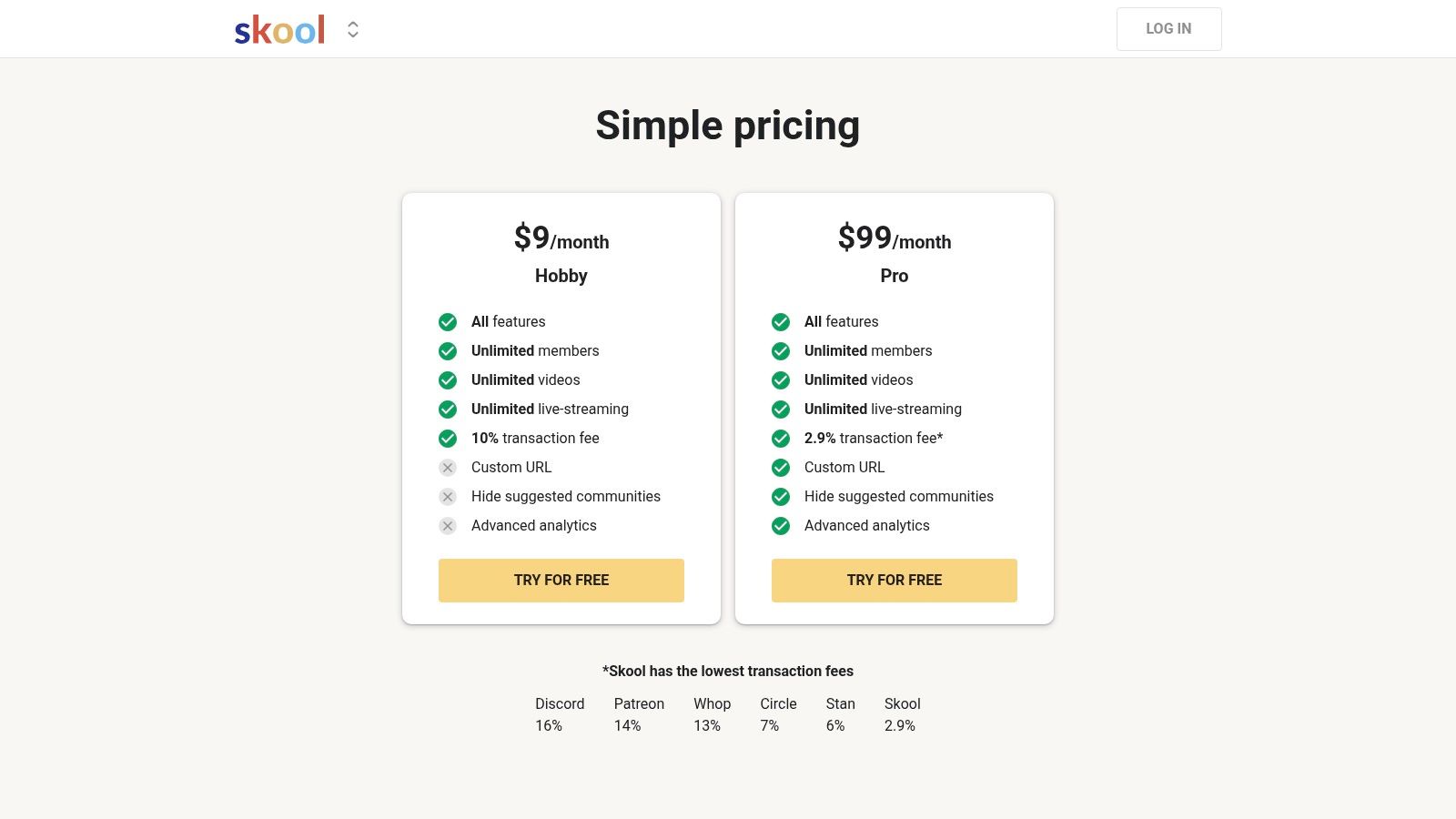
- Pricing: A flat $99/month for one community group, which includes unlimited members and courses.
- Transaction Fees: A competitive 2.9% transaction fee is charged on all payments.
- Gamification: Built-in leaderboards and points are standard features designed to increase engagement.
Actionable Tip: To maximize engagement, create a "Start Here" course that new members must complete. Set it up so that they unlock access to more community channels or content only after finishing the course, which you can do with Skool's leveling system.
Practical Assessment
Pros:
- Extremely Simple Setup: You can set up a new community with courses and payments in less than an hour.
- Low Transaction Fees: The 2.9% fee is one of the lowest among platforms that charge a percentage.
- Built-in Engagement: Native gamification encourages participation without needing extra plugins. Explore how a platform like Skool can support your educational community.
Cons:
- One Group Per Subscription: The $99/month fee covers only one community. If you need to run multiple communities, you'll need separate subscriptions.
- Limited Customization: The platform does not offer deep branding customization or extensive integrations like some other solutions.
Website: https://www.skool.com/pricing
5. Kajabi (Communities)
Kajabi is an all-in-one platform for knowledge entrepreneurs, and its Communities feature is a key part of its ecosystem. It is designed for creators who want to manage their entire online business—from courses and marketing to payments and community—in one place. This makes it one of the best online community platforms for those who prefer a single, unified system.
The platform’s strength is that it bundles community directly with its powerful course and marketing tools. This allows you to guide your audience seamlessly from a free download to a paid course and then into a student community, all without connecting different services.
Key Features and Pricing
Kajabi's features support the entire customer journey, with community as a tool for retention. It includes live meetups, challenges, and rich media posts.
- Pricing: Starts at $149/month for the Basic plan. The Growth plan at $199/month offers more capacity.
- Transaction Fees: Kajabi charges zero transaction fees on all plans.
- Branded Apps: A custom-branded mobile app for your community and courses is available on the Pro plan ($399/month).
Actionable Tip: Use Kajabi's "Automations" to automatically grant community access when a customer buys a specific course. For example, create a rule: "When Product X is purchased, grant access to Community Y." This streamlines the onboarding process and ensures a smooth user experience.
Practical Assessment
Pros:
- True All-in-One: A single platform handles your community, courses, email marketing, website, and checkout.
- No Platform Fees: You keep all your revenue (minus standard payment processor fees), which is a major plus for high-volume businesses.
- Seamless Integration: It's easy to set up automations between your courses, sales, and community access.
Cons:
- Can Be Expensive to Scale: The limits on products and contacts may force you into costly upgrades as your business grows.
- Higher Starting Price: The entry price is higher than many dedicated community platforms.
Website: https://kajabi.com/features/communities?utm_source=openai
6. Discourse (official cloud and open-source)
Discourse is a powerful, open-source platform designed for organized, long-form discussions. It functions like a modern forum, making it a great choice for product support hubs, developer communities, and knowledge bases where searchable conversations are important. Available as a managed service or free self-hosted software, it is one of the best online community platforms for organizations that value stability and control.
Its core strength is its forum-style structure, built for asynchronous communication. Features like trust levels and powerful search tools ensure conversations stay productive and easy to find over time, creating a valuable library of user-generated content.
Key Features and Pricing
Discourse offers flexibility with its two delivery models. Its plugin system allows for significant customization.
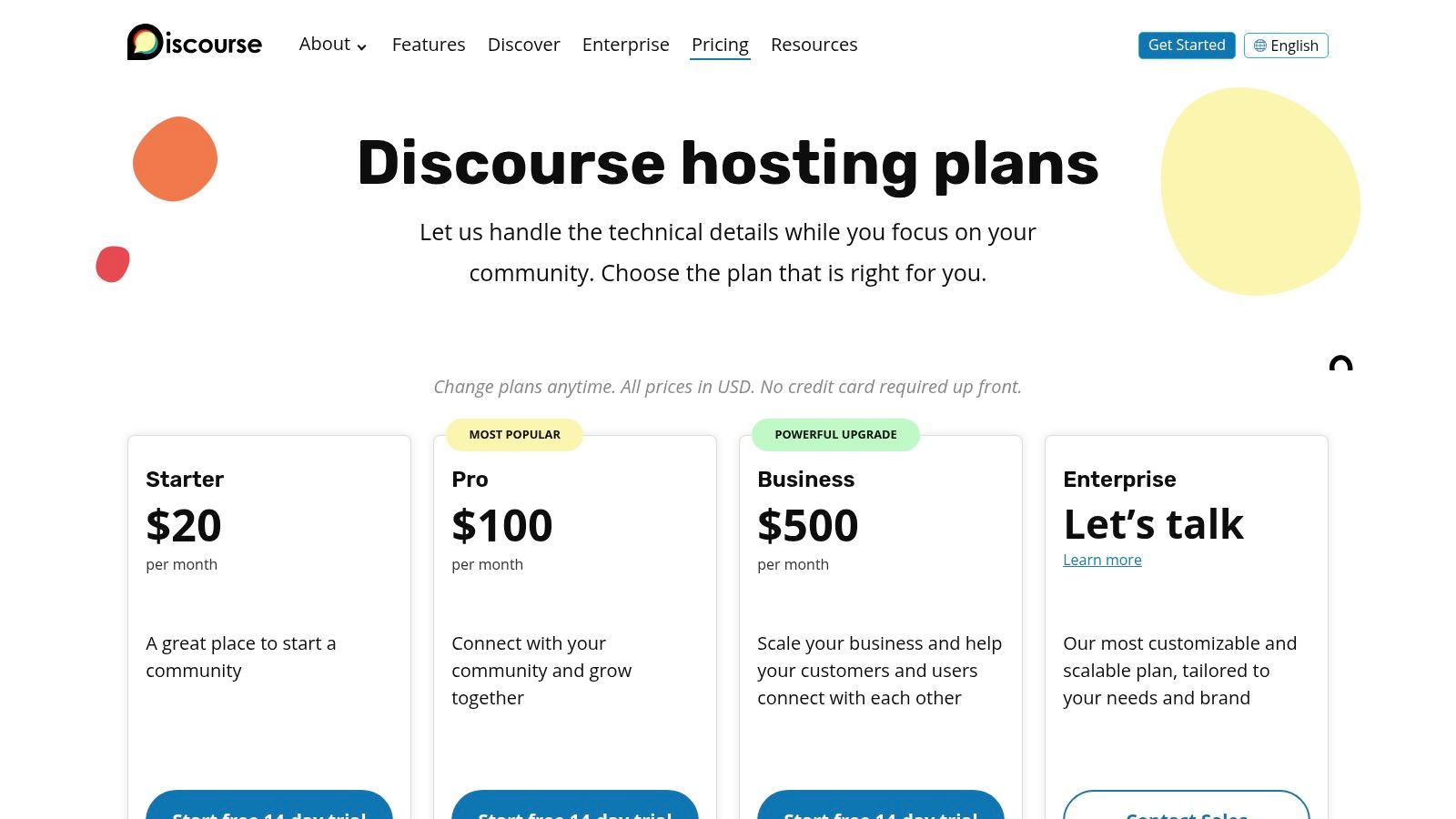
- Pricing: Managed hosting starts at $100/month for the Standard plan. A free, self-hosted option is available if you have the technical skills.
- Transaction Fees: Discourse does not have native transaction fees; you would handle payments through plugins or external tools.
- Open-Source Flexibility: The self-hosted version gives you complete control over your data and code at no license cost.
Actionable Tip: If you choose to self-host, use the official installation guide on GitHub. It provides a step-by-step Docker-based setup that simplifies the process and ensures your community is secure and easy to update.
Practical Assessment
Pros:
- Proven Scalability: It can handle large, active communities without performance issues.
- Open-Source Customization: Offers unmatched flexibility for those who self-host, with a large library of plugins.
- Excellent for SEO: Its content is highly indexable by search engines, which can drive organic traffic.
Cons:
- Forum-Focused: It lacks built-in tools for courses, events, or live chat, so you would need other tools for these functions.
- Technical Setup Required: Customizing the self-hosted version or installing certain plugins requires technical knowledge.
Website: https://discourse.org/pricing
7. Bettermode (formerly Tribe)
Bettermode is a modular community platform designed for customer communities and brand user groups. Its main advantage is the ability to embed a branded community directly into an existing website or product, making it one of the best online community platforms for SaaS companies building a customer hub.
The platform uses "Spaces" to let businesses create dedicated areas for discussions, knowledge bases, and user-generated content. This allows organizations to launch a fully white-labeled community that feels like a natural part of their brand.
Key Features and Pricing
Bettermode's features focus on brand control and seamless integration with tools like HubSpot and Salesforce.
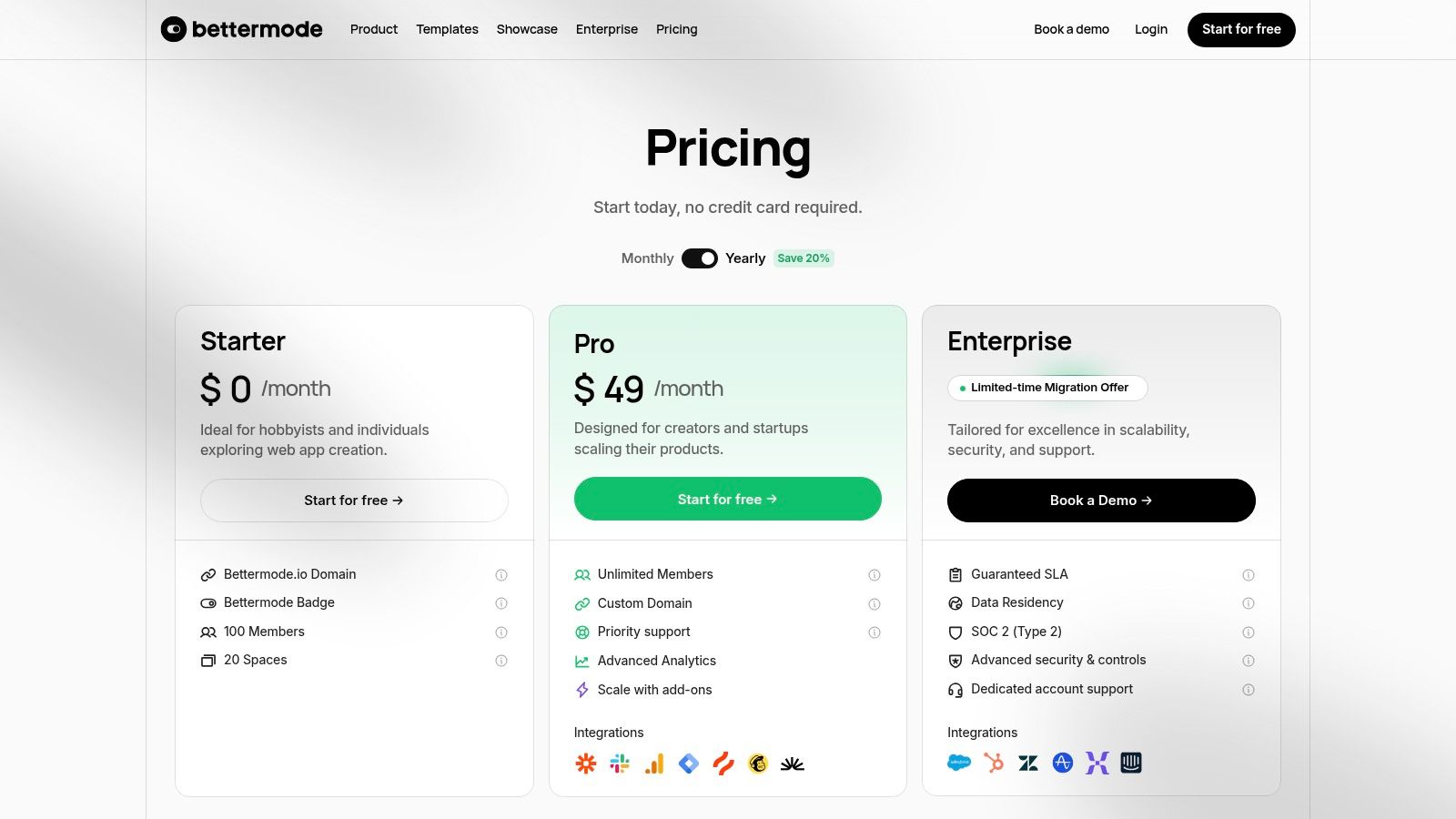
- Pricing: Starts with a limited Free plan. The Advanced plan is $599/month and includes a custom domain and core integrations.
- Add-Ons: Key features like single sign-on (SSO) and API access can be purchased as add-ons, offering flexibility as you scale.
- Security: The platform is SOC 2 Type II compliant, making it suitable for enterprise customer communities.
Actionable Tip: To make your community feel like a part of your product, use Bettermode's embeddable widgets. For example, embed a "Latest Discussions" widget directly on your app's dashboard to draw users into the community without them having to navigate away.
Practical Assessment
Pros:
- Embeddable and Brandable: Excellent tools for creating a white-labeled community that matches your brand's design.
- Flexible Add-Ons: The ability to purchase features like SSO separately provides a cost-effective way to scale.
- Strong Enterprise Integrations: Connects with major CRM and support tools, perfect for building a unified customer success system.
Cons:
- Key Features Cost Extra: Essential business features like SSO and API access come at an additional cost on the main paid plan.
- Resource Limits: Lower-tier plans have limits on members and storage that may force you to upgrade quickly.
Website: https://bettermode.com/pricing
8. Higher Logic Vanilla (enterprise)
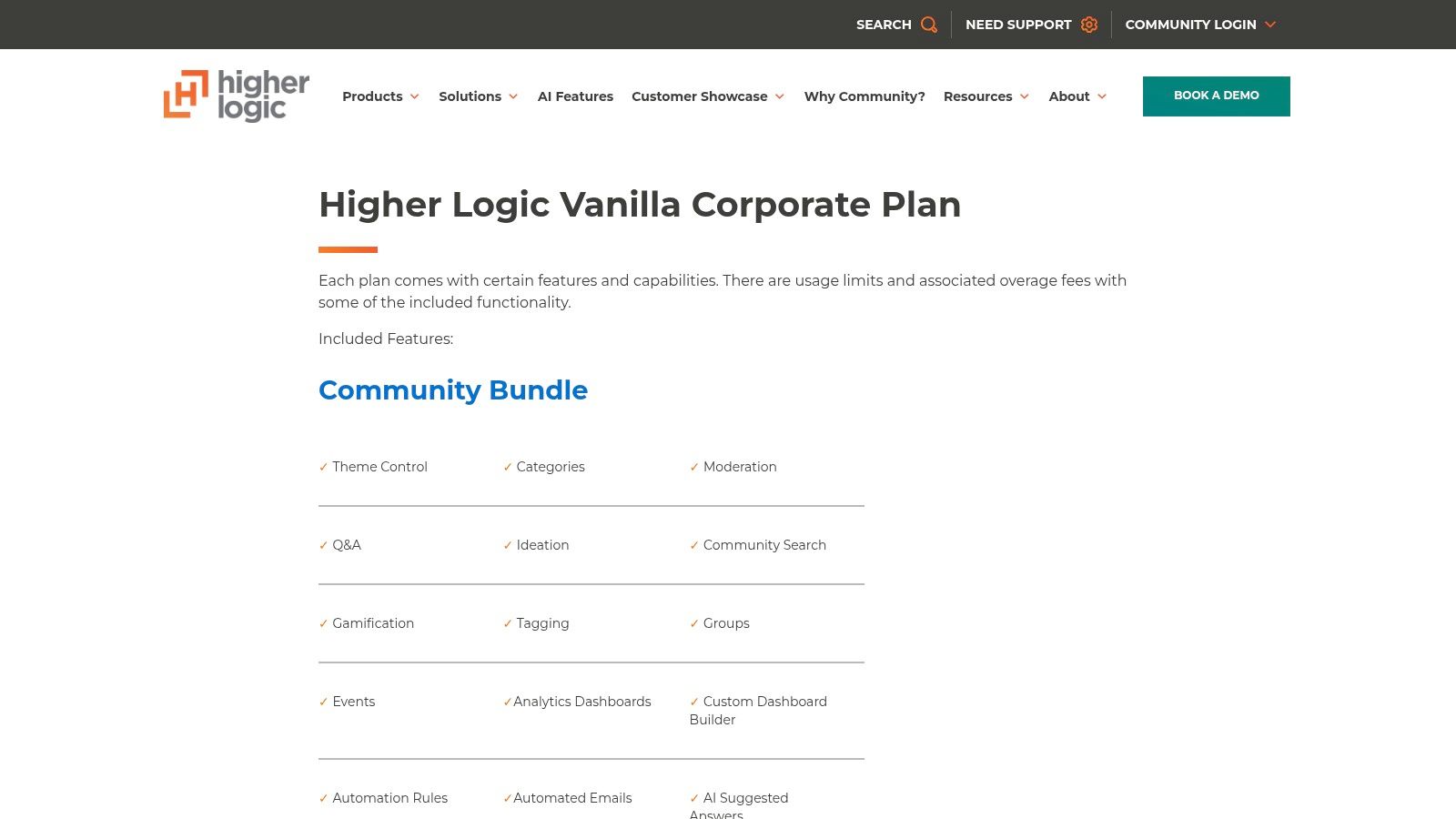
Higher Logic Vanilla is an enterprise-level community platform for large B2B organizations and software companies. It excels at creating sophisticated customer communities designed to reduce support tickets, gather product feedback, and improve customer retention. Its power comes from combining advanced moderation, a robust knowledge base, and deep integrations.
The platform is built to handle complex needs, offering features like ideation modules for product feedback and dedicated Q&A forums. This makes it a top choice among the best online community platforms for organizations that need a secure, customizable, and deeply integrated solution.
Key Features and Pricing
Vanilla's features are built for scale, providing advanced automation rules, AI-powered answers, gamification, and detailed analytics.
- Pricing: Pricing is provided through a custom sales quote and is aimed at the enterprise level.
- Key Integrations: Offers native connections to Salesforce, Zendesk, Slack, and other enterprise tools.
- Knowledge Base: The built-in knowledge base helps reduce support tickets by showing relevant help articles within community discussions.
Actionable Tip: Implement the "Ideation" module to create a structured feedback loop with your customers. This allows users to submit, vote on, and discuss new feature ideas, giving your product team clear, prioritized data to work with.
Practical Assessment
Pros:
- Deep Enterprise Features: Provides robust tools for moderation, automation, and security needed by large organizations.
- Flexible Integration Options: An extensive API allows for deep customization and connection to your core business systems.
- Strong Support & Analytics: Offers powerful analytics for measuring community ROI and dedicated support for clients.
Cons:
- No Public Pricing: The lack of public pricing makes it hard to budget without going through a sales process.
- Too Complex for Small Communities: Its complexity and cost are not a good fit for individual creators or small businesses.
Website: https://www.higherlogic.com/vanilla-corporate-plan/
9. Hivebrite
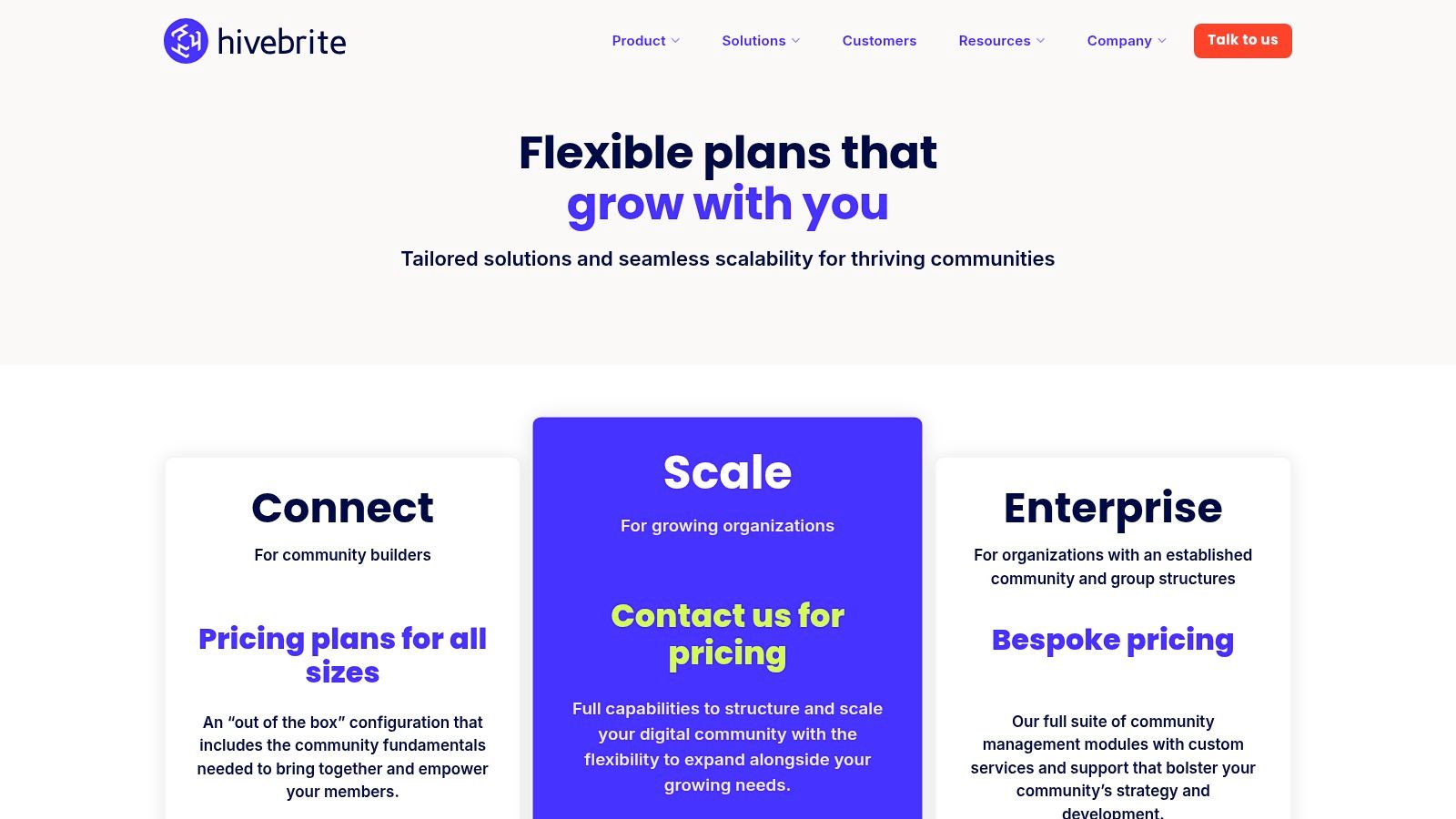
Hivebrite is an enterprise-level, white-label community platform built for large networks like alumni associations and professional organizations. It excels at providing the tools needed to manage complex member databases, regional chapters, and formal events. Unlike many creator platforms, Hivebrite is designed for organizational management.
Its strength is its powerful backend, which includes a member directory with advanced filtering, payment processing for dues and donations, and sophisticated event management with ticketing. It allows organizations to have a central hub while giving local chapters their own sub-portals, making it one of the best online community platforms for distributed networks.
Key Features and Pricing
Hivebrite's features are tailored for member-driven organizations, including a jobs board, member map, and fundraising tools.
- Pricing: Hivebrite does not list public pricing. You must contact their sales team for a custom quote.
- Transaction Fees: Varies by plan and is discussed during the sales process.
- Branded Apps: Fully branded native mobile apps are a core part of their offering.
Actionable Tip: If you manage a network with regional groups, use the "Groups" feature to give each chapter leader admin rights over their own sub-community. This empowers local leaders to manage their own events and members while you maintain central oversight.
Practical Assessment
Pros:
- Built for Organizations: Features like job boards and chapter management are perfect for alumni and association use cases.
- Scalable Structure: Easily supports hundreds of sub-communities under one central administration.
- Comprehensive Member Management: Advanced tools for handling membership tiers and data are much more robust than typical creator platforms.
Cons:
- No Public Pricing: The lack of public pricing can be a barrier for smaller organizations or those in the research phase.
- Complex to Manage: The platform is more complex and less intuitive for simple communities, requiring more setup and administration.
Website: https://hivebrite.io/pricing
10. Disciple
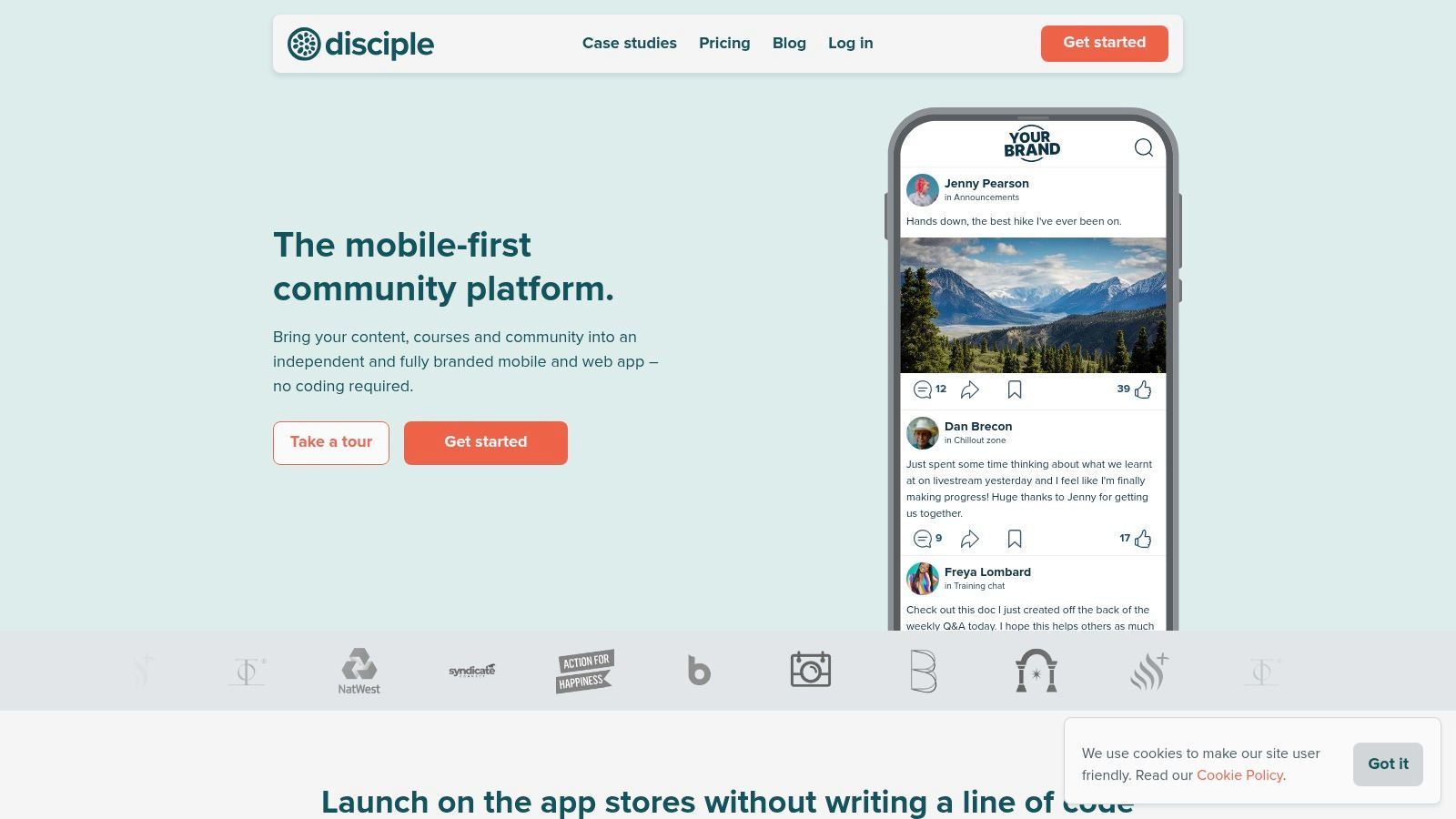
Disciple is a community platform that specializes in helping creators launch their own fully branded mobile apps for iOS and Android. It’s built for those who want to own their audience on their members' home screens, making it one of the best online community platforms for a mobile-first strategy.
The platform provides tools to foster engagement within a branded environment, including activity feeds, groups, and direct messaging. Its true value is the native app experience with push notifications, which can significantly increase member interaction.
Key Features and Pricing
Disciple's features are focused on creating a self-contained, branded ecosystem with monetization through subscriptions and in-app purchases.
- Pricing: Disciple offers custom pricing. You must contact their sales team for a quote.
- Transaction Fees: In addition to platform fees, standard app store commissions (15-30%) apply to revenue generated through the apps.
- Branded Apps: The core product is a white-label mobile and web app that gets listed in the Apple App Store and Google Play Store.
Actionable Tip: Use push notifications strategically. Instead of sending generic alerts, create segmented lists and send targeted notifications. For example, send a push notification only to members who haven't logged in for a week with a message like, "We miss you! Here's what's new..."
Practical Assessment
Pros:
- True Brand Ownership: Your community lives in an app with your name and branding in the app stores.
- Push Notifications: The ability to send native push notifications is a powerful tool for re-engagement.
- Multiple Revenue Models: Supports subscriptions and one-time purchases directly within the app.
Cons:
- Higher Cost and Complexity: Building and maintaining a native app is more expensive and complex than a web-only community.
- App Store Fees: Monetization through mobile apps is subject to significant fees from Apple and Google.
Website: https://www.disciple.community/
11. Discord
Originally for gamers, Discord has become a popular platform for real-time community engagement. It organizes communities into "servers" with channels for text, voice, and video, making it one of the best online community platforms for communities that thrive on constant, dynamic conversation.
Its main advantage is that it's free and familiar to many users, which makes it easy for new members to join. Unlike traditional forums, Discord excels at instant communication, making it ideal for live events and spontaneous collaboration. It also has a robust system of roles and permissions for moderation.
Key Features and Pricing
Discord's core features are free, but it offers monetization tools for creators through Server Subscriptions.
- Pricing: Free to create and manage a community server.
- Transaction Fees: Server Subscriptions have a 10% platform fee.
- Monetization: Creators can offer tiered subscriptions for access to exclusive channels and perks.
Actionable Tip: Set up a "welcome" channel with a bot like MEE6 that automatically posts rules and instructions for new members. This helps orient newcomers and keeps your main channels from getting cluttered with repetitive questions.
Practical Assessment
Pros:
- Free and Familiar: The core platform is free, and most users already know how to use it.
- Rich Real-Time Engagement: Voice, video, and text channels allow for immediate and dynamic interactions.
- Highly Extensible: A huge ecosystem of third-party bots allows for extensive customization, from moderation to games.
Cons:
- Limited Monetization Reach: Server Subscriptions are currently restricted to US-based creators.
- Can Be Chaotic: The constant stream of messages can be overwhelming for new users and hard to manage without strong community management and moderation strategies.
Website: https://discord.com/blog/server-and-creator-subscriptions
12. Heartbeat
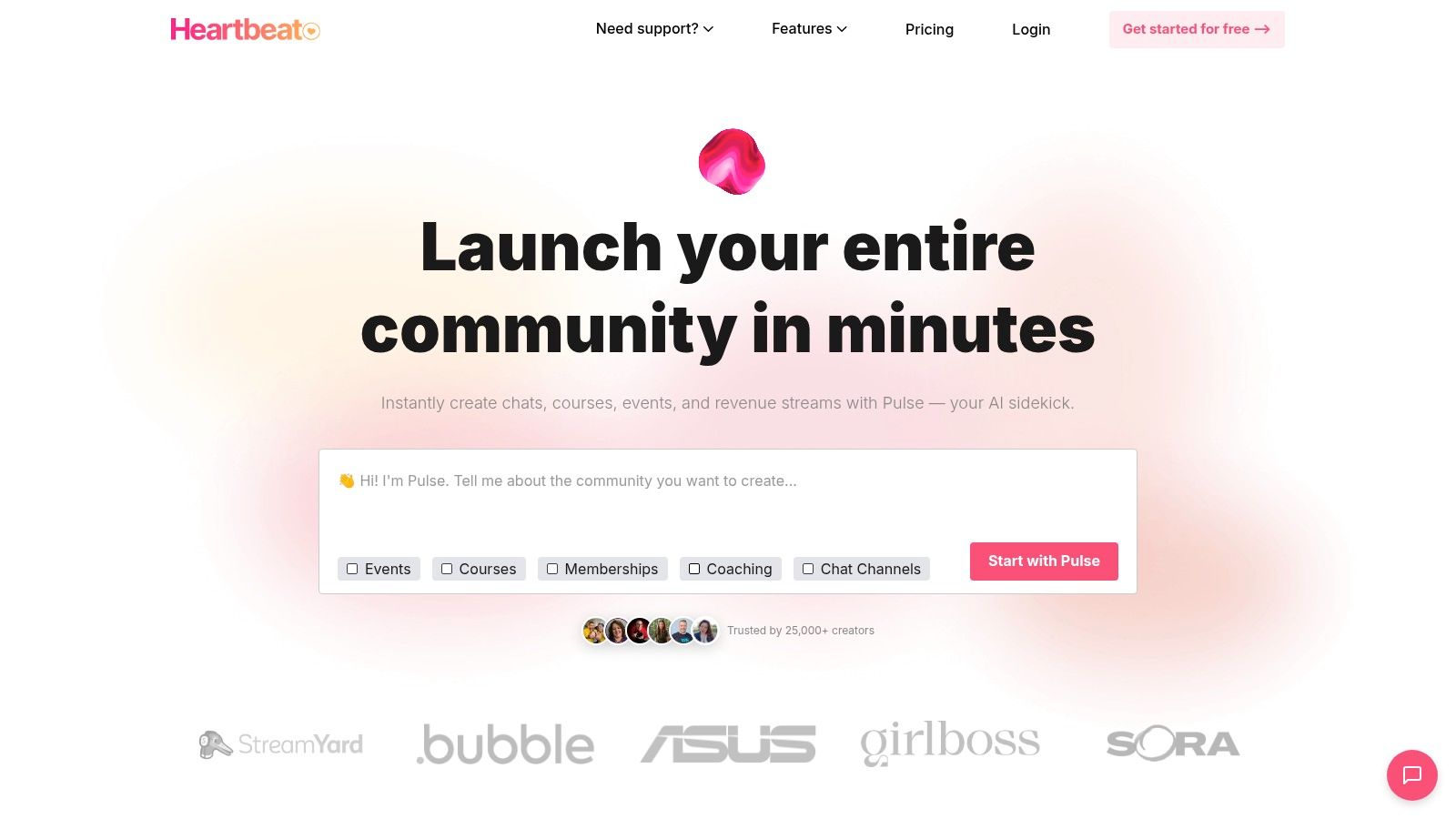
Heartbeat is a community platform that brings chat, courses, events, and memberships together. It's a great solution for online schools and paid course communities, offering built-in tools for payments and automation that make it easy to monetize a knowledge-based community.
The platform combines real-time chat channels, like Discord, with threaded discussions for more organized conversations. It also includes native course creation tools, event management, and a "match-ups" feature to help members network, making it a strong choice among the best online community platforms for interactive learning.
Key Features and Pricing
Heartbeat's features are designed for managing a paid educational community, with functionalities like document storage and integrations with Zapier and Zoom.
- Pricing: Starts with a Starter plan at $49/month. The Growth plan at $129/month adds more advanced features.
- Transaction Fees: The Starter plan has a 5% transaction fee, while the Growth plan has a 2% fee.
- Key Tools: The platform includes paid memberships, course creation, event management, and automations.
Actionable Tip: Use the "Match-ups" feature to automatically pair new members with a veteran member or "buddy" for their first week. This simple automation can make newcomers feel welcome and help them get integrated into the community faster.
Practical Assessment
Pros:
- Broad Feature Set: Combines chat, forums, courses, and events in one toolkit.
- Quick to Launch: Built-in payments and automations help you get a paid community running quickly.
- Member Networking: The "match-ups" feature is a great tool for fostering connections between members.
Cons:
- Mixed Feedback: Some users have reported issues with customer support and the user interface.
- Variable Pricing: Pricing has changed in the past, so it's best to confirm current rates directly.
Website: https://www.heartbeat.chat/
Top 12 Online Community Platforms — Feature Comparison
| Platform | Core features (✨) | UX / Quality (★) | Value & Pricing (💰) | Target audience & USP (👥/🏆) |
|---|---|---|---|---|
| Kampunity 🏆 | Chat, threaded discussions, multimedia courses, quizzes, events, payments, gamification ✨ | Structured spaces, granular moderation, engagement-focused ★★★★☆ | Free start (10% platform fee) → $99/mo per camp + 1.5% platform fee (Stripe fees apply) 💰 | Creators building paid learning communities; replaces many tools with one creator-first platform 👥 |
| Circle | Spaces (discussions, courses, events), native live video, automations ✨ | Strong admin experience & analytics ★★★★ | Tiered plans, transaction fees on most plans; optional branded apps 💰 | Creators & membership sites wanting integrated tools and branded apps 👥 |
| Mighty Networks | Courses, challenges, chat, AI-assisted profiles, gamification ✨ | Unlimited members/spaces, native insights ★★★★ | Payments + 1–2% transaction fees; flexible monetization 💰 | Creators seeking member matching, onboarding & analytics 👥 |
| Skool | Integrated communities, courses, live-streaming, leaderboards ✨ | Simple, streamlined UX & easy setup ★★★★ | Flat pricing per community, low transaction fee on Pro (≈2.9%) 💰 | Coaches and creators who want a single, clean community experience 👥 |
| Kajabi (Communities) | Communities + courses, email, funnels, checkout, automations ✨ | Unified marketing + community stack, solid UX ★★★★ | No platform take rate (standard payment processing applies); plan limits may require upgrades 💰 | Knowledge businesses wanting one vendor for marketing, payments & community 👥 |
| Discourse (cloud / OSS) | Forum-style discussions, plugins, APIs, self-host option ✨ | Searchable, durable forum UX, proven scalability ★★★★ | Self-host free; managed cloud plans (paid) — low platform take 💰 | Product support, developer forums, public/community knowledge hubs 👥 |
| Bettermode (Tribe) | Embeddable spaces, CMS, member directory, integrations, SSO ✨ | Brandable, modular, embeddable experience ★★★★ | Tiered pricing; SSO/API often paid add-ons 💰 | Customer communities & embedded brand experiences for product teams 👥 |
| Higher Logic Vanilla | Q&A, ideation, gamification, SSO, analytics dashboards ✨ | Enterprise-grade moderation & security ★★★★ | Sales-quoted enterprise pricing 💰 | B2B, large-scale customer success & enterprise communities 👥 |
| Hivebrite | White-label portals, member directories, event & tiered access ✨ | Scalable for chapters, alumni & associations ★★★★ | Pricing via demo — enterprise-level costs 💰 | Alumni networks, associations, member-driven organizations 👥 |
| Disciple | White-label mobile apps + web, livestreams, groups, monetization ✨ | Native app presence with push notifications ★★★★ | Custom pricing; app-store fees & higher entry costs 💰 | Creators/brands wanting owned iOS/Android apps and app-store presence 👥 |
| Discord | Real-time text/voice/video, roles, bots, integrations ✨ | Familiar, low-friction real-time engagement ★★★★ | Free to start; Server Subscriptions (US-limited) & app-store fees apply 💰 | Always-on chat communities, live engagement & extensible via bots 👥 |
| Heartbeat | Channels, courses (evergreen/cohort), events, match-ups, automations ✨ | Course-centric feature set; quick to launch ★★★ | Built-in payments & workflows; pricing varies — confirm with vendor 💰 | Online schools and paid course communities wanting workflows & analytics 👥 |
How to Choose the Right Platform: A 5-Step Checklist
Choosing from the best online community platforms comes down to one thing: finding the right tool for your specific goal. There is no single "best" platform for everyone. A course creator needs different features than a large brand building a support forum.
Instead of getting lost in feature lists, use this simple checklist to make a clear, confident decision.
Your Actionable Decision-Making Checklist
Follow these five steps to find the platform that fits your needs perfectly.
Define Your Main Goal: What is the #1 purpose of your community? Is it to support a course, run a paid membership, or host a fan group? Be specific. For example, if your goal is to run a cohort-based coaching program, a platform like Kampunity or Circle is a better fit than a forum-based tool like Discourse.
List Your 3-5 "Must-Have" Features: What features are absolutely essential? Don't just list everything. Focus on the critical few. Do you need native course hosting, live streaming, or specific payment options? Write them down and compare your list to our reviews. This will quickly narrow your choices.
Set a Realistic Budget: Look at your budget for the next year, not just next month. Factor in both the monthly subscription and any transaction fees. A platform with a low monthly fee but high transaction fees might cost you more in the long run if you have high sales volume.
Assess Your Time and Technical Skills: How much time can you spend on setup and management? A platform like Skool is designed for a quick and easy launch. In contrast, a self-hosted Discourse community offers more control but requires technical expertise. Choose a tool that matches your resources.
Sign Up for a Free Trial: This is the most important step. Reading reviews is helpful, but using the software is what matters. Sign up for free trials of your top two or three options. Explore the admin dashboard, create a test post, and see how it feels from a member's perspective. This hands-on experience will make your final decision clear.
Ultimately, your community platform is the digital home for your members. By focusing on your core needs, budget, and the experience you want to create, you can select a tool that helps your community thrive today and grow in the future.
Ready to build a focused, intuitive, and engaging learning community without the complexity? Kampunity is designed specifically for creators and educators who prioritize streamlined course delivery and meaningful member interaction. See how you can launch your community and course in minutes with Kampunity.